Information to absorb.
Manual learning and conventional presentations offered limited interaction and experiential understanding.
Knowledge, brought
to life.
An immersive world of stories, spaces, and hands-on discovery.
Enter the experience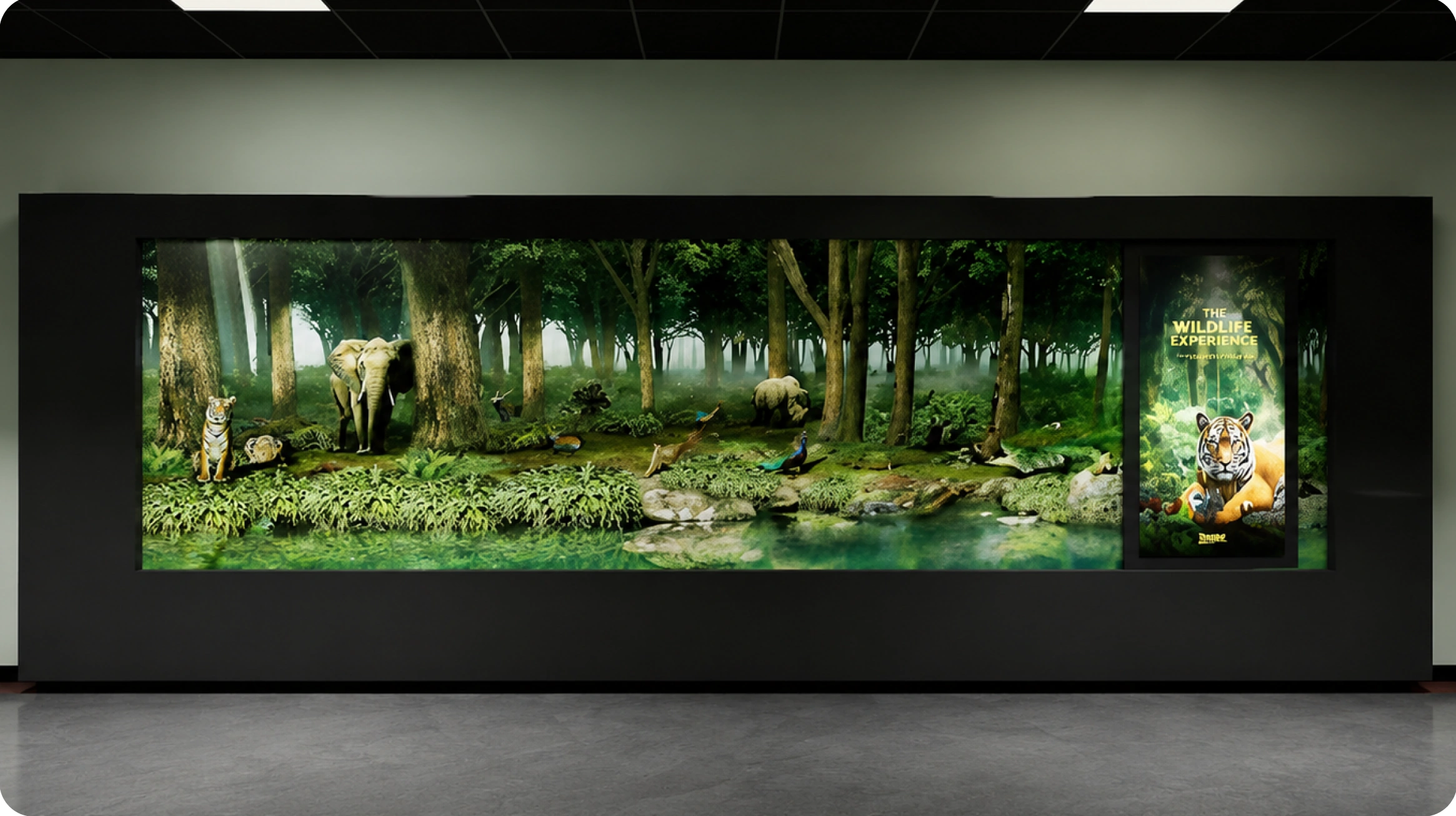
NACIN—the National Academy of Customs, Indirect Taxes and Narcotics—trains officers in customs, indirect taxes, and narcotics administration. The centre brings its legacy, training ecosystem, achievements, and future vision into an interactive setting.
How do you turn complex institutional and training content into something people can explore, interact with, and understand?
CLARITY · OPERATIONAL ACCURACY · ACCESSIBILITYManual learning and conventional presentations offered limited interaction and experiential understanding.
Combine touch interfaces, simulation, spatial storytelling, and immersive technology in one visitor journey.
Government officials · NACIN trainees and officers · Administrative delegates · Visiting authorities · Policymakers
International delegations · Academic and research visitors · Institutional partners · New recruits and aspirants
The supplied brief identifies six design challenges. These shaped a consistent direction: simplify the content, make interaction understandable, and connect the screens to the space.
Break complex subjects into visual, explorable content.
Use clear navigation for officers, trainees, delegates, and non-technical visitors.
Give each digital touchpoint a clear role in the physical journey.
Invite participation through simulation, touch, and discovery.
Prioritise readable displays and understandable interaction flows.
Balance a modern visual experience with a professional government identity.
Give visitors a reason to look, a way to participate, and something to take away.
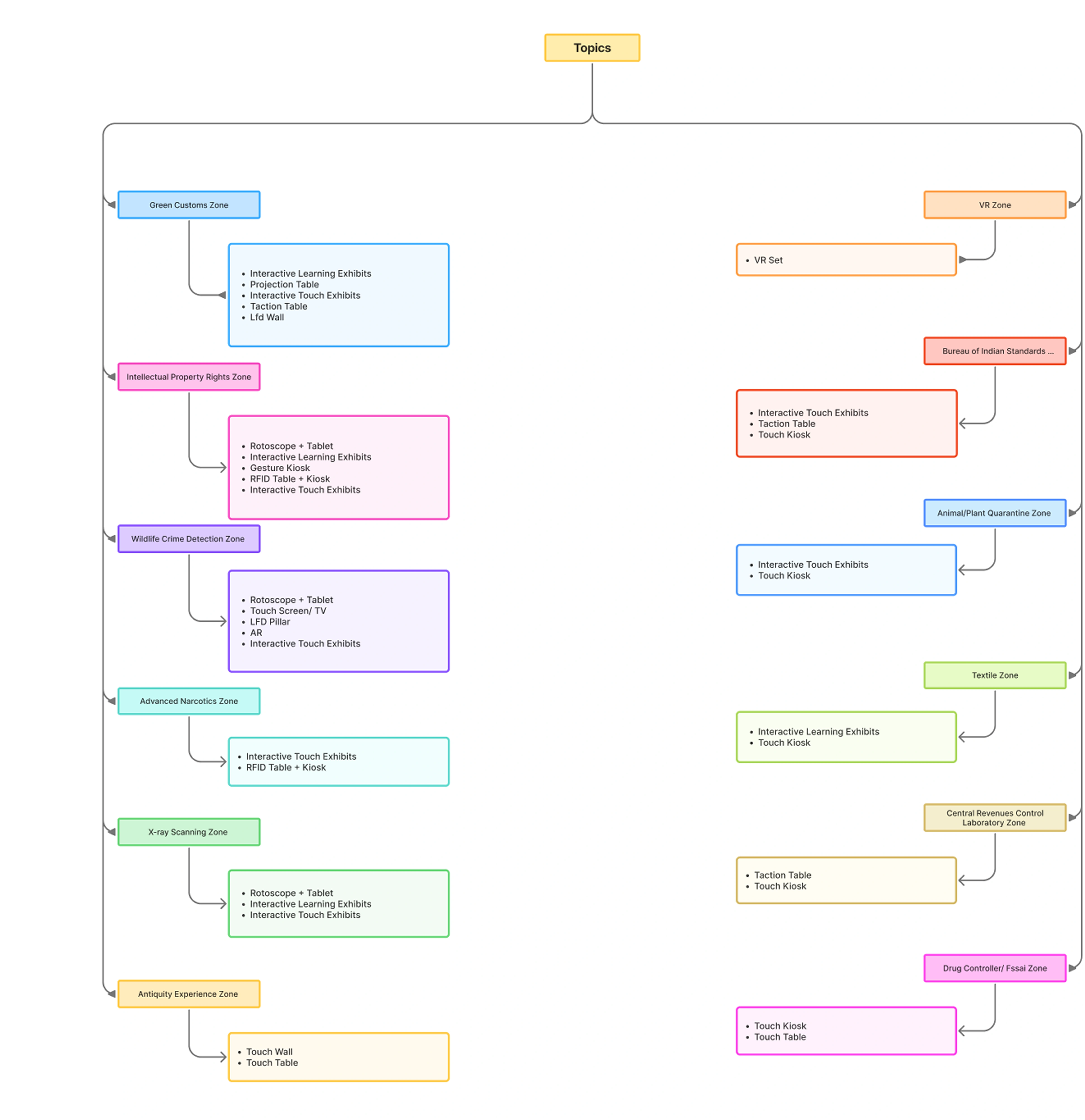
Different topics need different interaction formats. The ecosystem combines immersive environments, learning exhibits, touch surfaces, and object-based interaction across 12 thematic zones.
Select a zone to see its planned touchpoints.
Touchpoint mapping from the supplied NACIN ecosystem diagram.
Touchpoint mapping from the supplied NACIN ecosystem diagram.
Touchpoint mapping from the supplied NACIN ecosystem diagram.
Touchpoint mapping from the supplied NACIN ecosystem diagram.
Touchpoint mapping from the supplied NACIN ecosystem diagram.
Touchpoint mapping from the supplied NACIN ecosystem diagram.
Touchpoint mapping from the supplied NACIN ecosystem diagram.
Touchpoint mapping from the supplied NACIN ecosystem diagram.
Touchpoint mapping from the supplied NACIN ecosystem diagram.
Touchpoint mapping from the supplied NACIN ecosystem diagram.
Touchpoint mapping from the supplied NACIN ecosystem diagram.
Touchpoint mapping from the supplied NACIN ecosystem diagram.
 View detail ↗
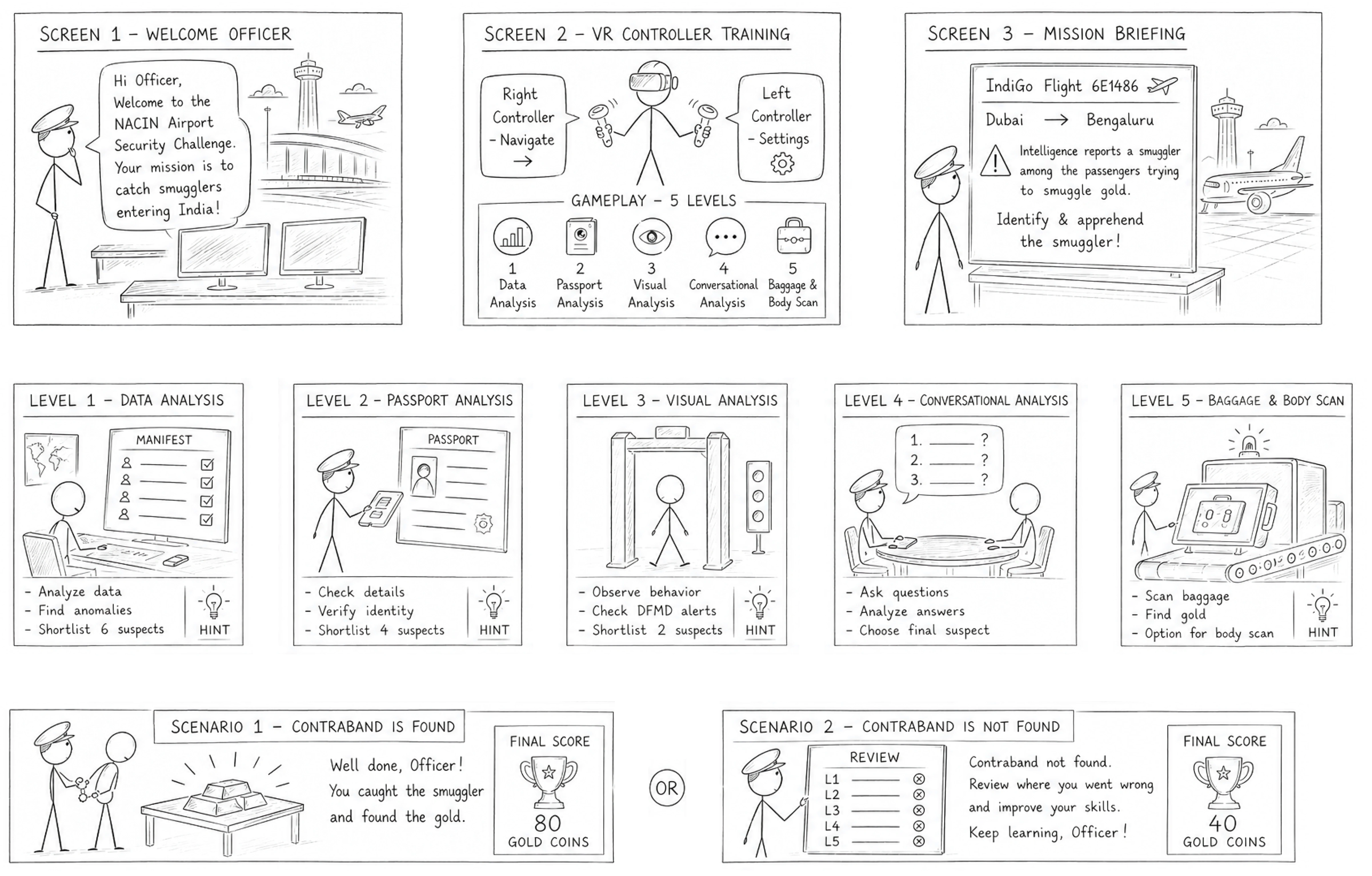
The VR Airport Customs simulation turns a training topic into a sequence of decisions. Officers examine information, identify clues, and work through an investigation in a simulated airport environment.
The storyboard begins with a welcome, controller training, and a mission briefing before the five gameplay levels.
Introduce the airport security challenge.
Explain navigation and controller settings.
Give the learner a clear investigation goal.
Analyse the manifest, find anomalies, and shortlist six suspects.
Check passport details, verify identity, and shortlist four suspects.
Observe behaviour, check alerts, and shortlist two suspects.
Ask questions, analyse answers, and choose a final suspect.
Scan baggage, look for gold, and use the body-scan option shown in the storyboard.
Contraband found → success feedback and score
Contraband not found → review and learning feedback
 View detail ↗
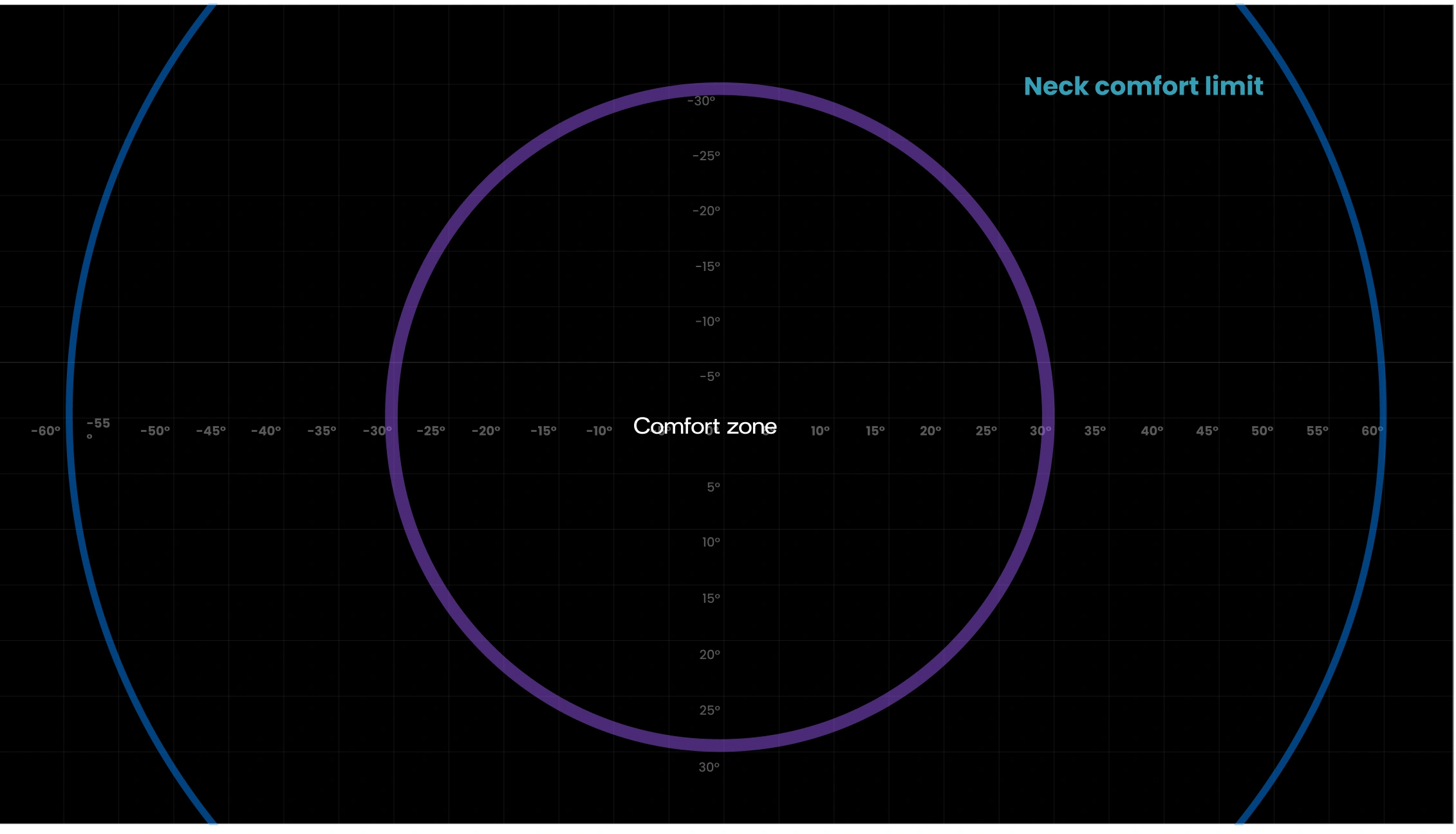
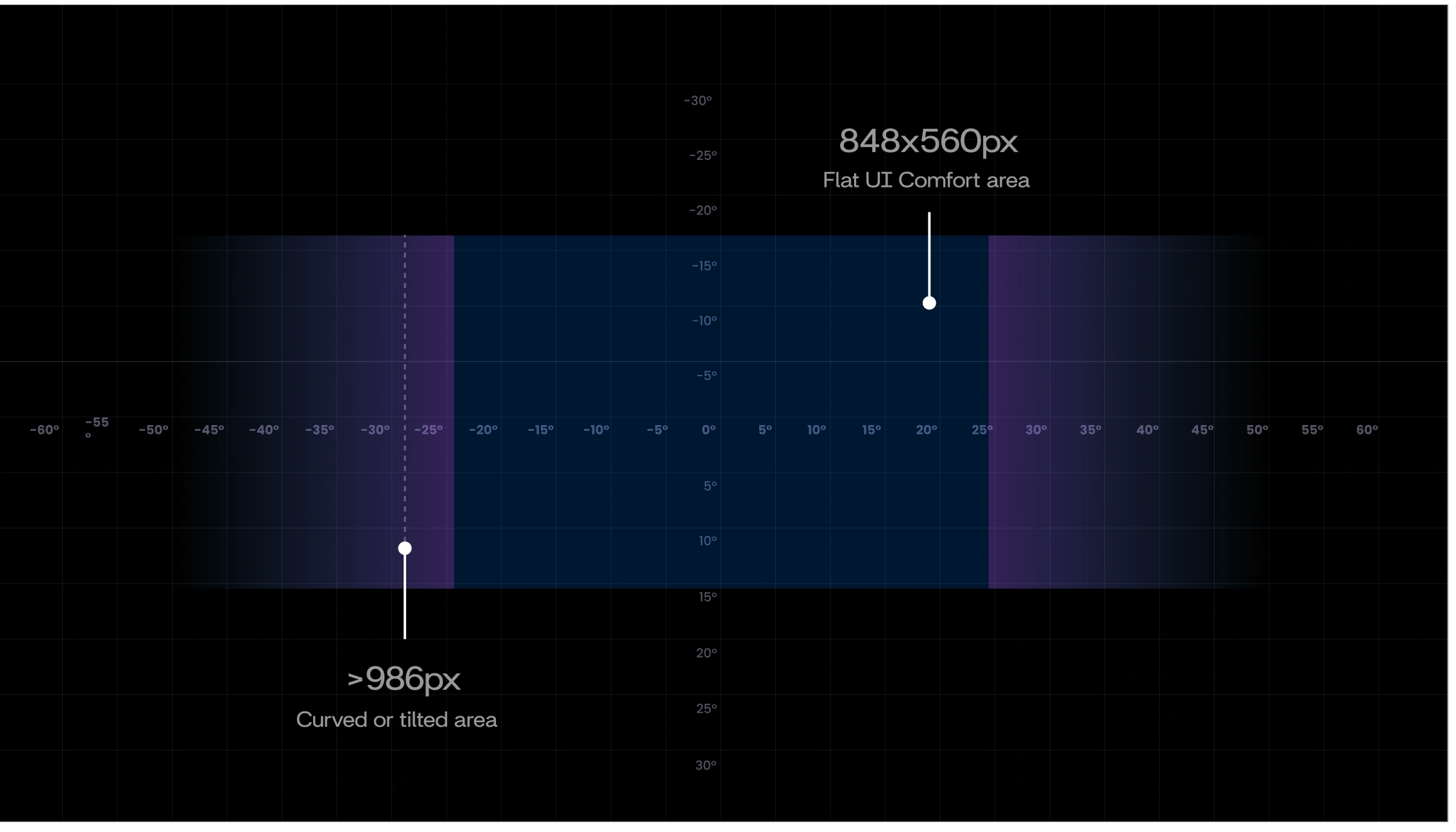
The supplied design references define a comfort zone, a neck-comfort limit, and a central area for flat UI. These guide where the learner looks and interacts.
These are project layout references, not universal VR specifications.
 View detail ↗
 View detail ↗
The source materials note confidentiality restrictions on final UI screens. This case study presents the storyboard, design references, and site renders.
Each exhibit connects a physical action with a learning moment. The following concepts move from early sketches to the supplied site visualisations.
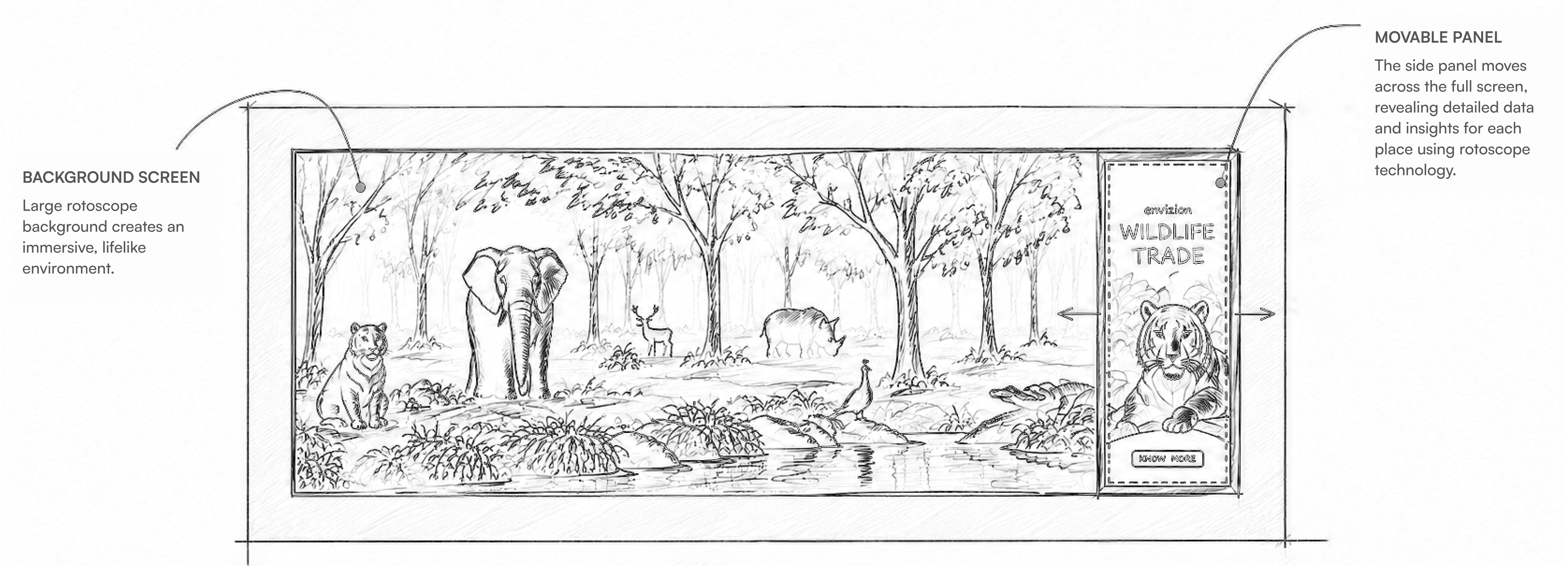
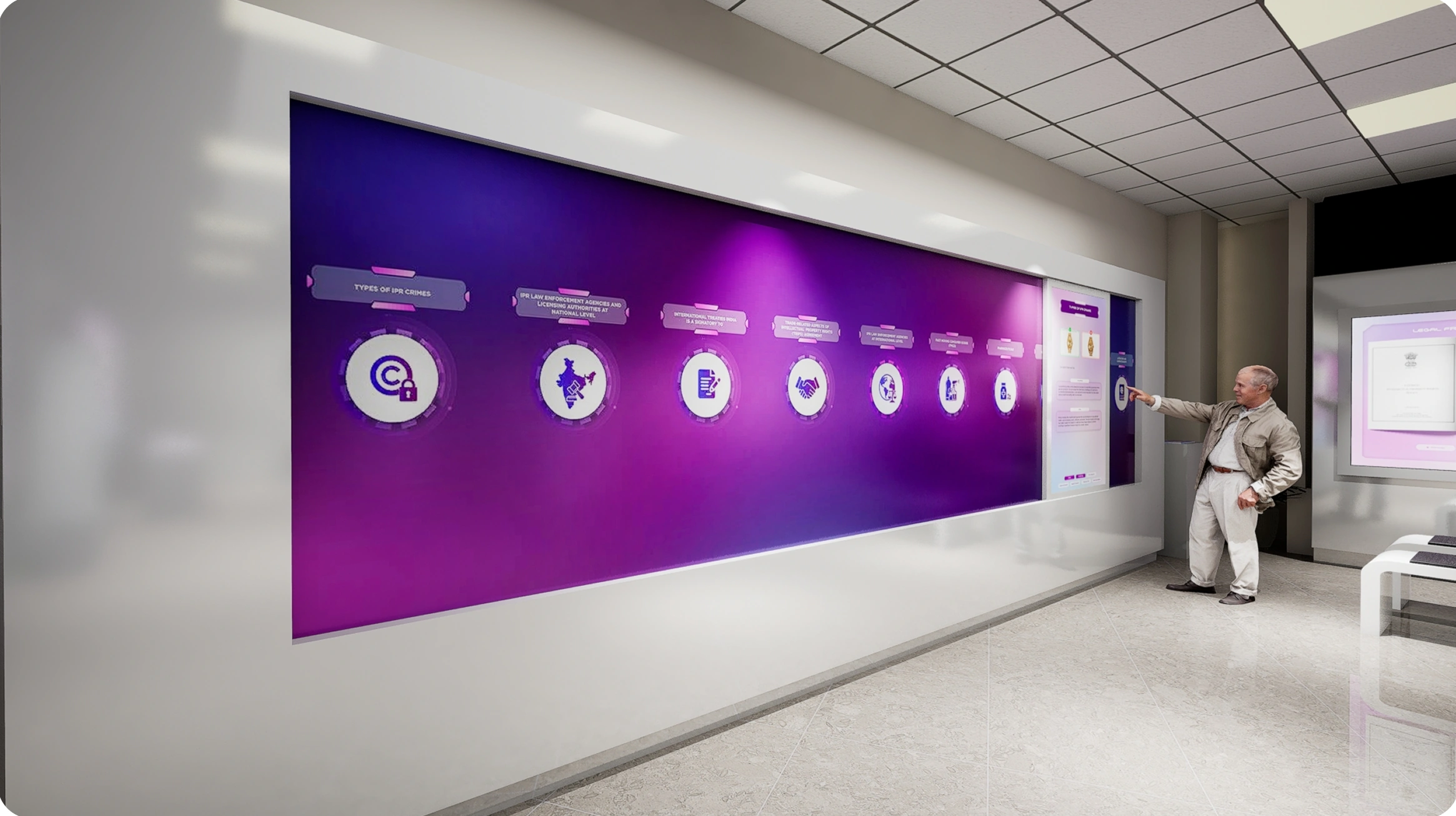
A large visual environment sets the scene. A movable side panel reveals detailed content as visitors explore the exhibit.
APPLIED ACROSSWildlife · X-ray · Intellectual Property Rights
 View detail ↗View detail ↗
 View detail ↗
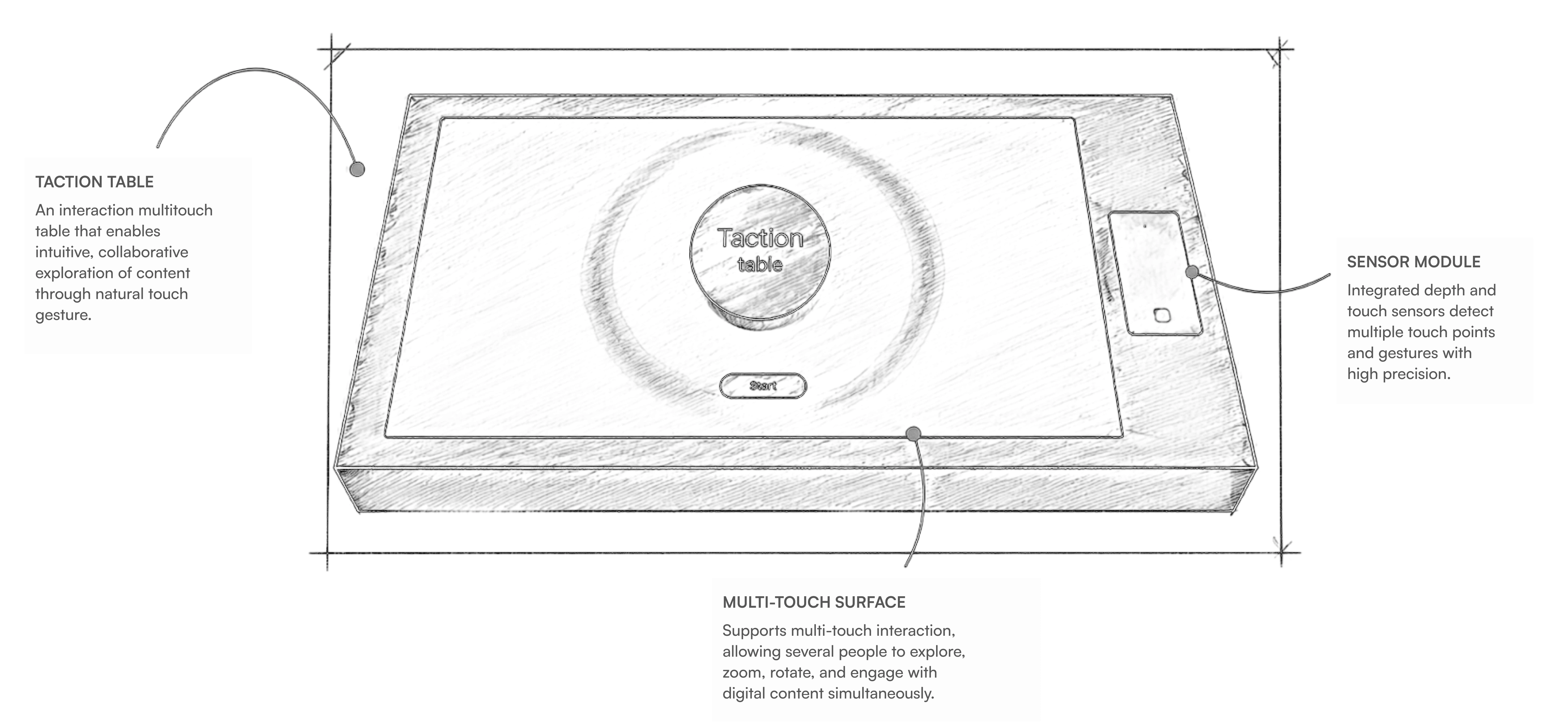
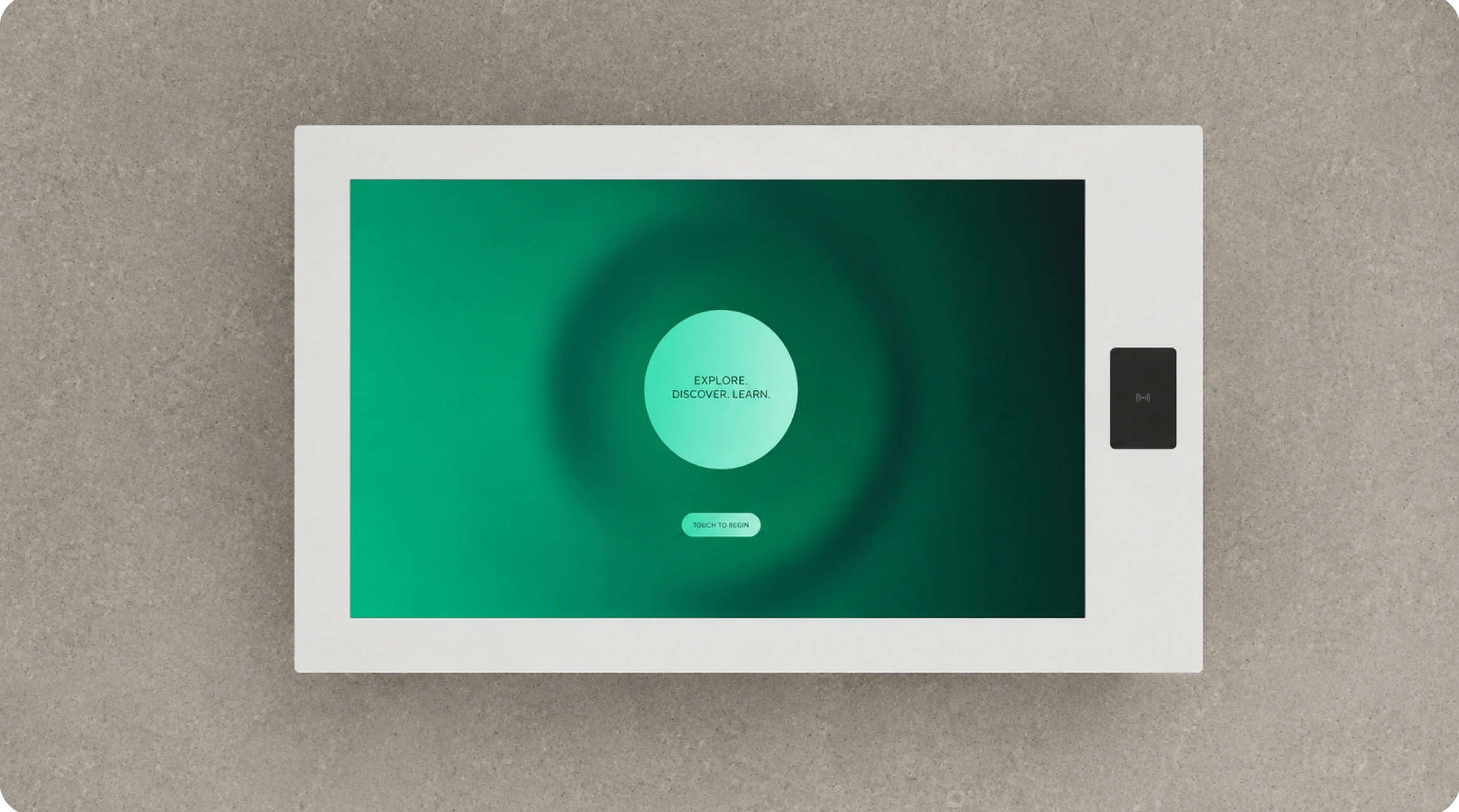
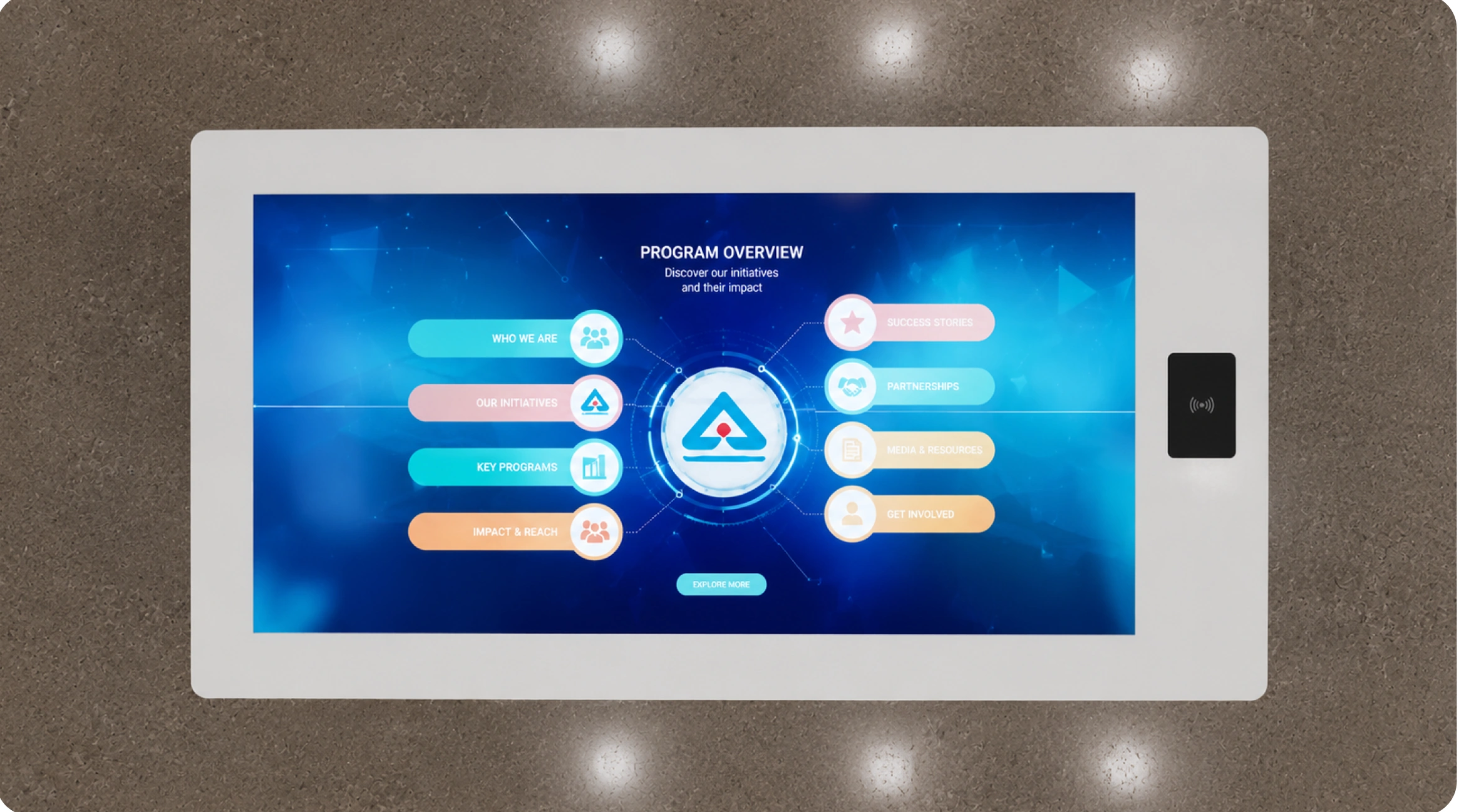
A collaborative multi-touch surface lets visitors explore, zoom, rotate, and interact with content together. The approach covers inspection processes, laboratory analysis, and quality standards.
APPLIED ACROSSGreen Customs · CRCL · Bureau of Indian Standards
 View detail ↗
 View detail ↗
 View detail ↗
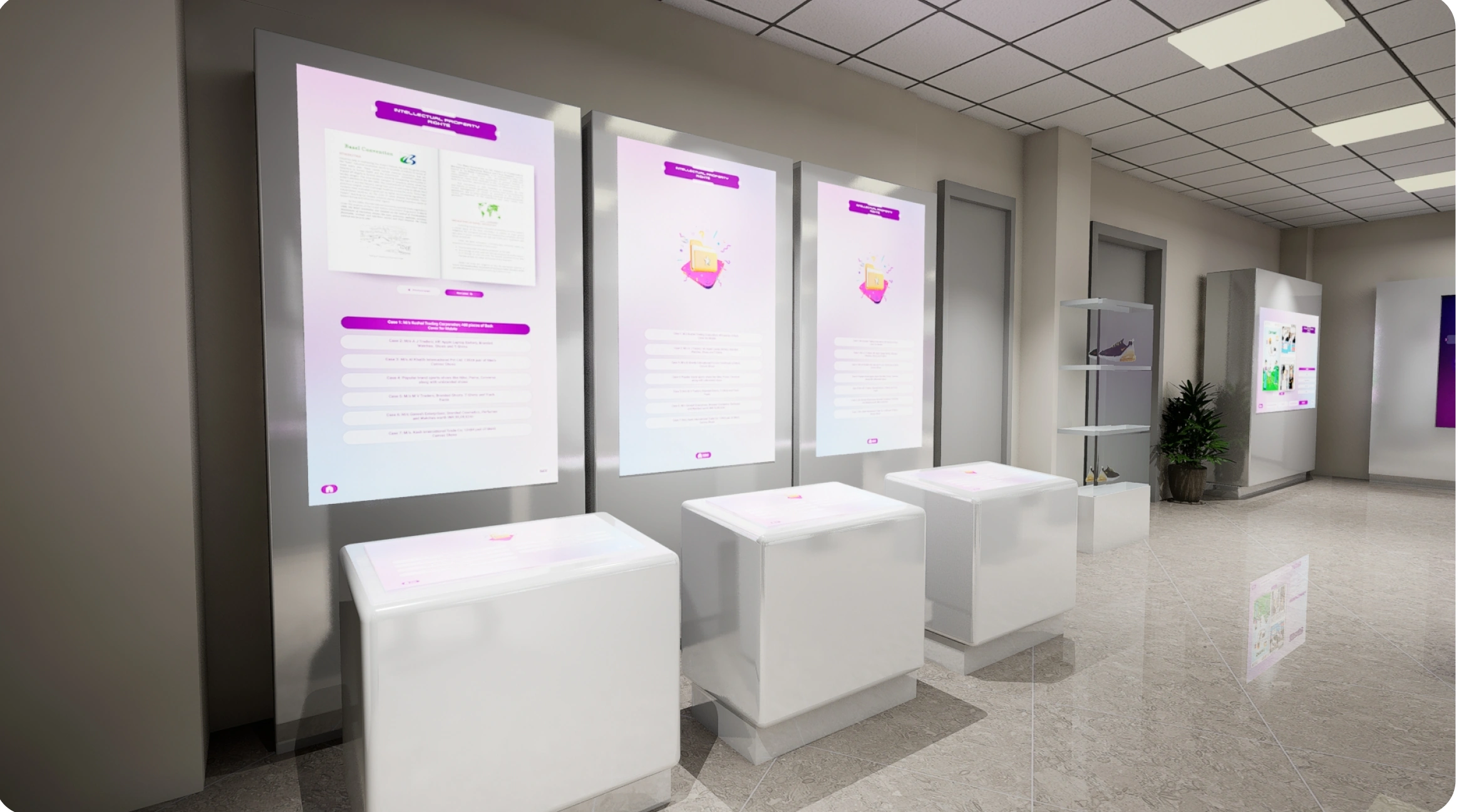
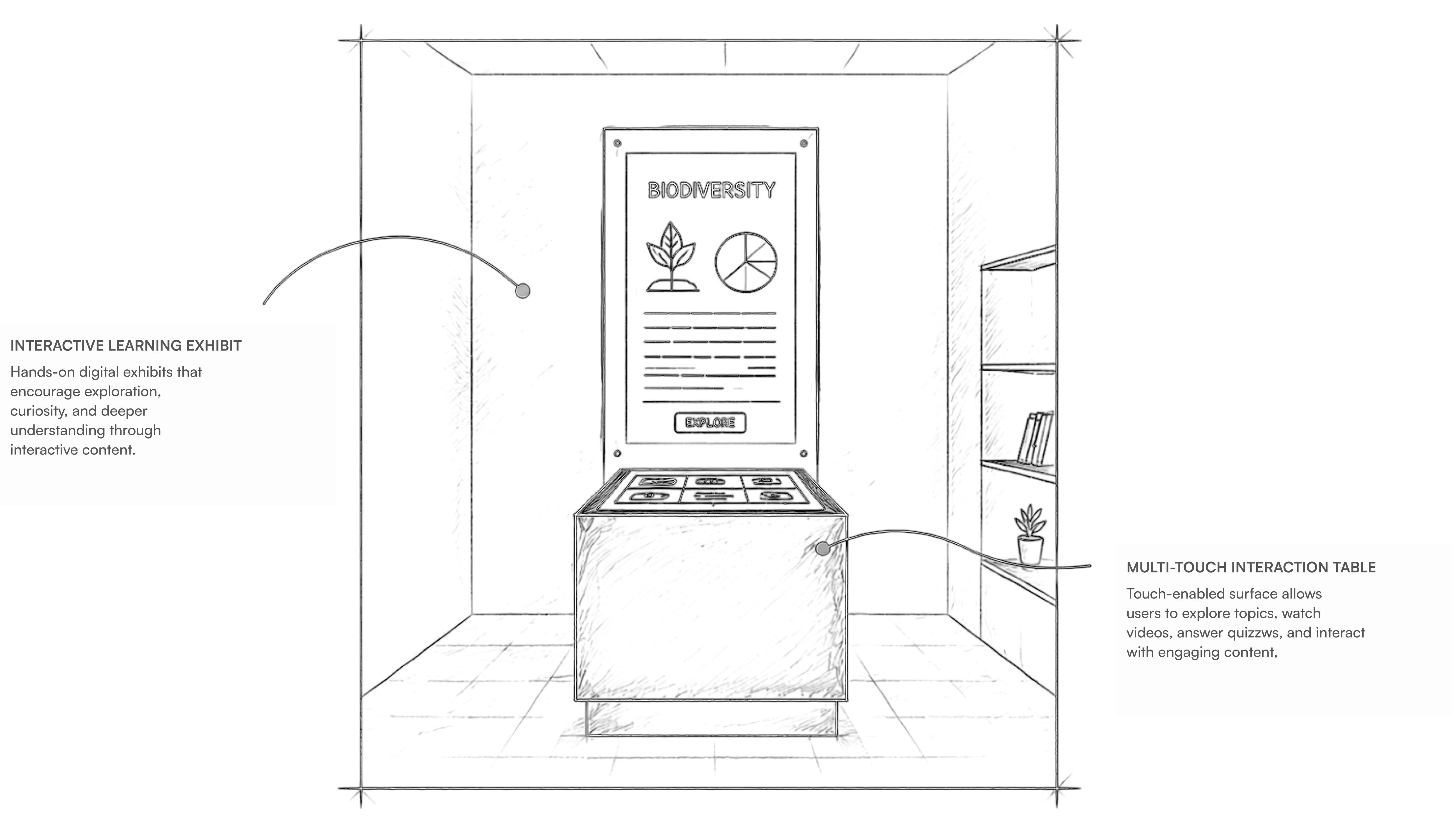
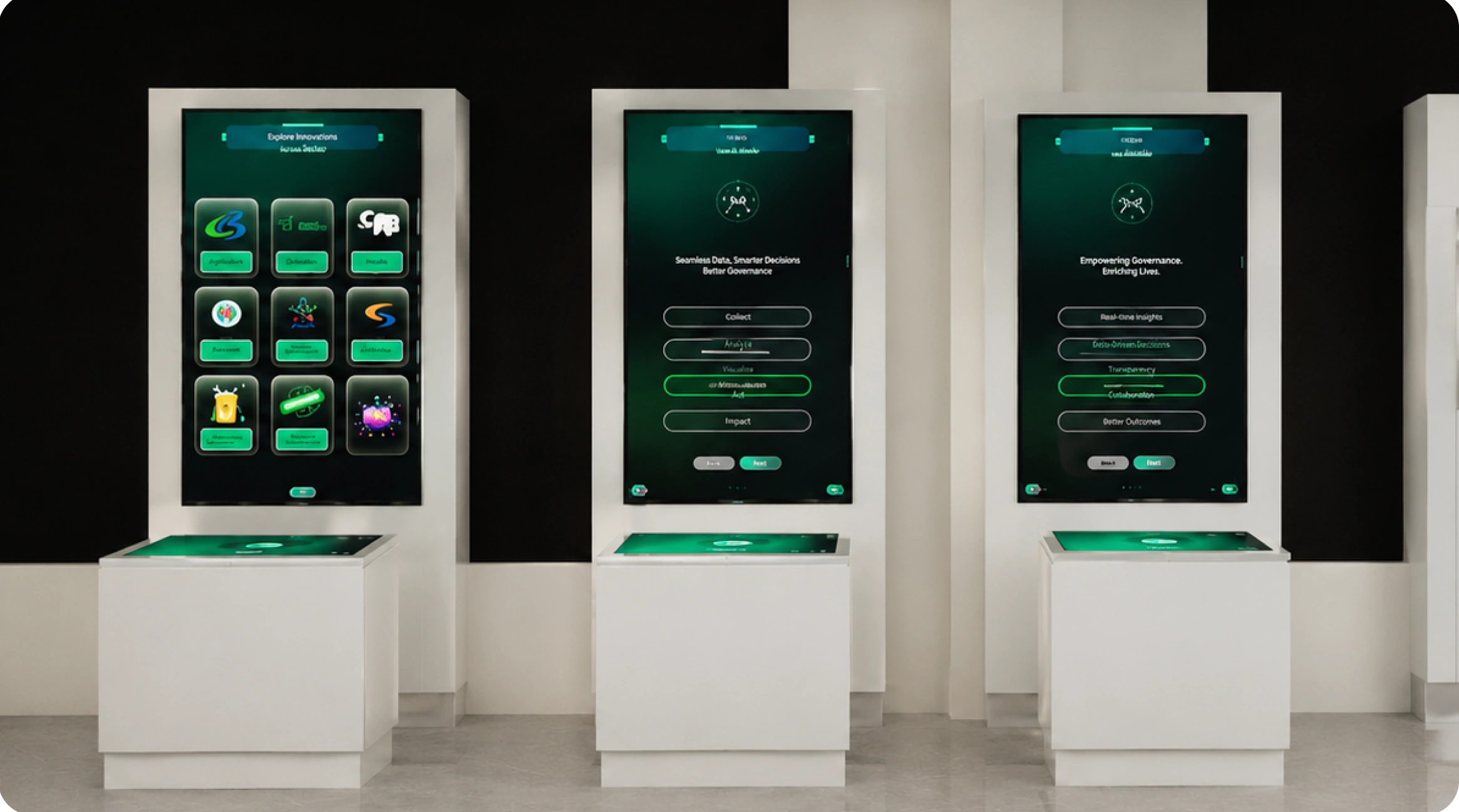
A touch-enabled learning station combines visual information with self-guided exploration. Visitors can explore topics, watch videos, and answer quizzes through the interface.
APPLIED ACROSSGreen Customs · X-ray · Intellectual Property Rights · Textile
 View detail ↗
 View detail ↗View detail ↗
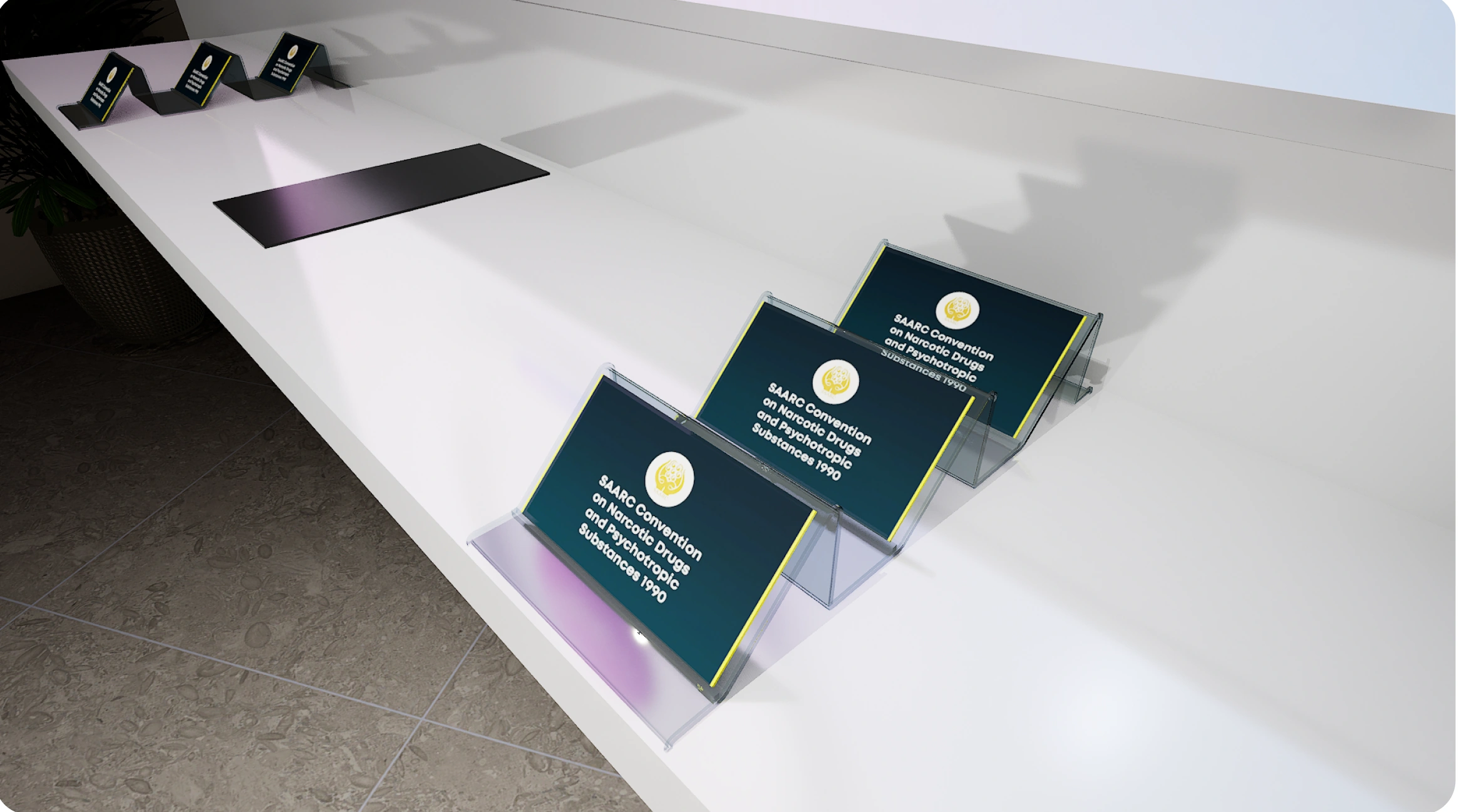
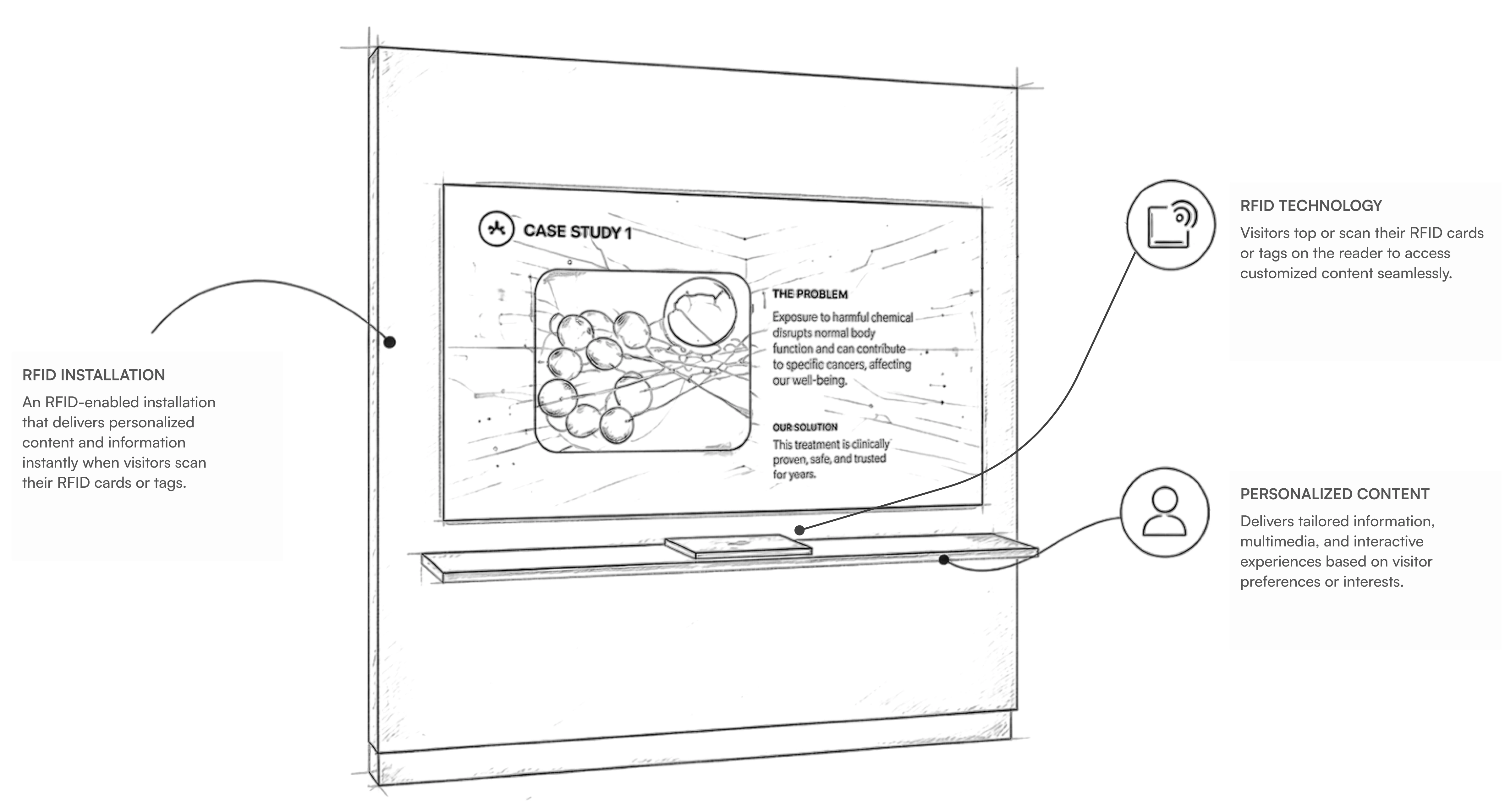
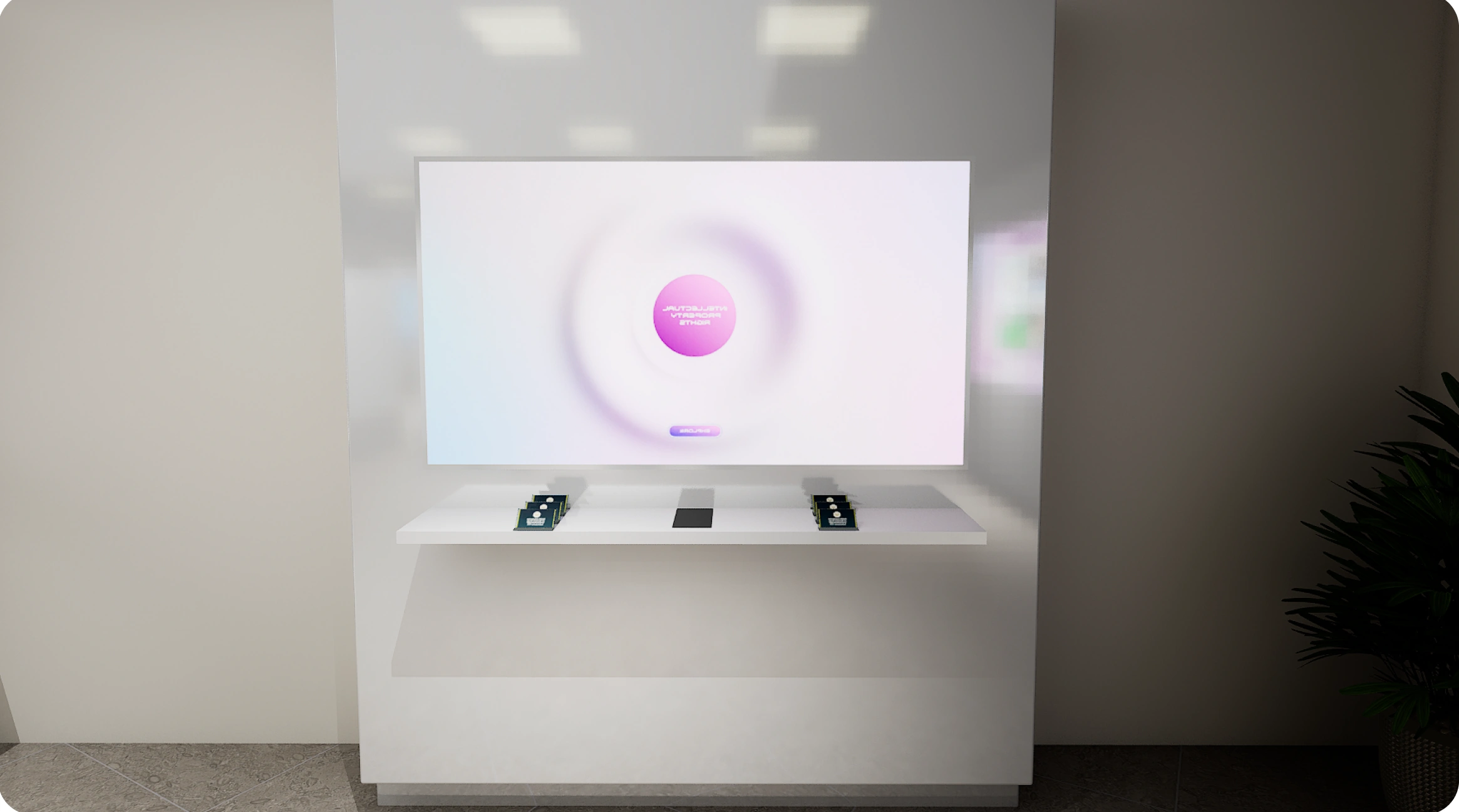
RFID-enabled objects, cards, or tags connect the physical exhibit to related digital content. A scan or placement brings information and case studies onto the display.
APPLIED ACROSSAdvanced Narcotics · Intellectual Property Rights
 View detail ↗
 View detail ↗View detail ↗
The supplied implementation overview spans visitor-facing experiences and supporting systems. The categories below show the range of systems described in the project materials.
Immersive formats, touch interactions, audio, and management software work together to support the centre.
TECHNOLOGY CATEGORIESShown as a technology inventory, without percentage shares or performance claims.
The project materials describe stronger engagement, clearer technical understanding, and more collaborative learning. They provide qualitative outcomes rather than measured performance results.
VR puts observation and decision-making into an interactive training context.
Touch surfaces and learning exhibits invite visitors to explore at their own pace or together.
RFID and movable-panel exhibits connect a physical action to meaningful information.
The through-line is consistency: a clear starting point, an understandable action, and a useful response across different screens, objects, and spaces.