← All projects
INARA / A CONNECTED SKINCARE EXPERIENCE

Skin clarity.
Care that connects.

A thoughtful mobile journey from understanding your skin to finding your next step.

Discover the interface
INARA — PRODUCT DESIGN01 / THE EXPERIENCE
A LITTLE CLARITY. A LOT OF CARE.

Understand your skin.
Find your next step.

A connected journey from personal skin insights to expert care.

Explore the experience

DESIGNED AROUND
you, naturally.
INARA skin analysis results interface
02 / UNDERSTAND YOUR SKIN
INARA welcome interface
01 / BEGIN WITH YOU
From insight
to your next step.
PERSONALISE → UNDERSTAND → CONNECTSKINCARE, WITH YOU AT THE CENTRE.
My role
UI/UX · Mobile care journeys
Platform
Mobile · iOS & Android
Duration
8–9 months
Approach
Lean UX
01 / THE CHALLENGE

So much skincare advice.
So little clarity.

INARA explores a familiar problem: people notice a skin concern, search online, and struggle to decide what to do next. The design brings that fragmented journey into a guided experience.

01 / INFORMATION

“Which advice
should I trust?”

Conflicting information makes the first decision harder.

02 / CHOICE

“Is this product
right for me?”

Trends and broad recommendations leave personal needs unclear.

03 / CONTINUITY

“What should
I do next?”

A scan or one consultation needs a clear route into ongoing care.

THE DESIGN QUESTION

How might we help people understand their skin concerns and find a clear, expert-supported next step?

02 / DISCOVERY & ASSUMPTIONS

Look beyond the symptom.
Understand the uncertainty.

The discovery material describes a focus-group discussion with healthcare and wellness professionals. Their inputs shaped the project’s early assumptions around understanding, personalisation, and continuity.

Expert inputHealthcare and wellness perspectives
03perspectives: dermatology, nutrition, and hormonal health
01shared direction: clearer, more connected guidance
DISCOVERY THEMEDESIGN RESPONSE

People struggle to interpret skin information.

Pair a visual summary with readable concern details and a clear next action.

Generic advice does not feel personal.

Use onboarding and concern selection to build context before showing recommendations.

The journey often stops after the first interaction.

Connect the initial report to Home, products, learning, and consultation.
Illustrated avatar from the INARA proto-personaPROTO-PERSONA

Anita, 32

Corporate professional
Gurugram

Digitally confident.
Careful about health decisions.

Anita looks for guidance online, finds clinic visits difficult to fit around work, and wants explanations she can understand. She is open to AI support when its recommendations are transparent and connected to professional care.

Clear explanationsVisible credentialsEasy follow-up
A working proto-persona from the design exploration, not a measured user segment.
03 / DESIGN DIRECTION

Trust is part
of the journey.

The early hypothesis was that a scan alone would not be enough. The experience also needs understandable information, a clear route to an expert, and a reason to return.

ASSUMPTION 01

Explain the insight.

People may feel more confident when the report explains the concern and the role of professional review.

Check: can users explain what the report means?
ASSUMPTION 02

Make the next step visible.

People may continue beyond the scan when consultation and follow-up are easy to find.

Check: where do users go after viewing results?
ASSUMPTION 03

Reduce the effort to get help.

A mobile booking flow may help people who find clinic visits difficult to arrange.

Check: can users find and book a suitable slot?
THE EXPERIENCE MAP
  1. 01Get startedPersonal context
  2. 02ScanGuided capture
  3. 03UnderstandResults & report
  4. 04Take a stepGuidance & products
  5. 05ConnectExpert consultation
04 / FROM IDEAS TO STRUCTURE

Explore widely.
Then make the flow clear.

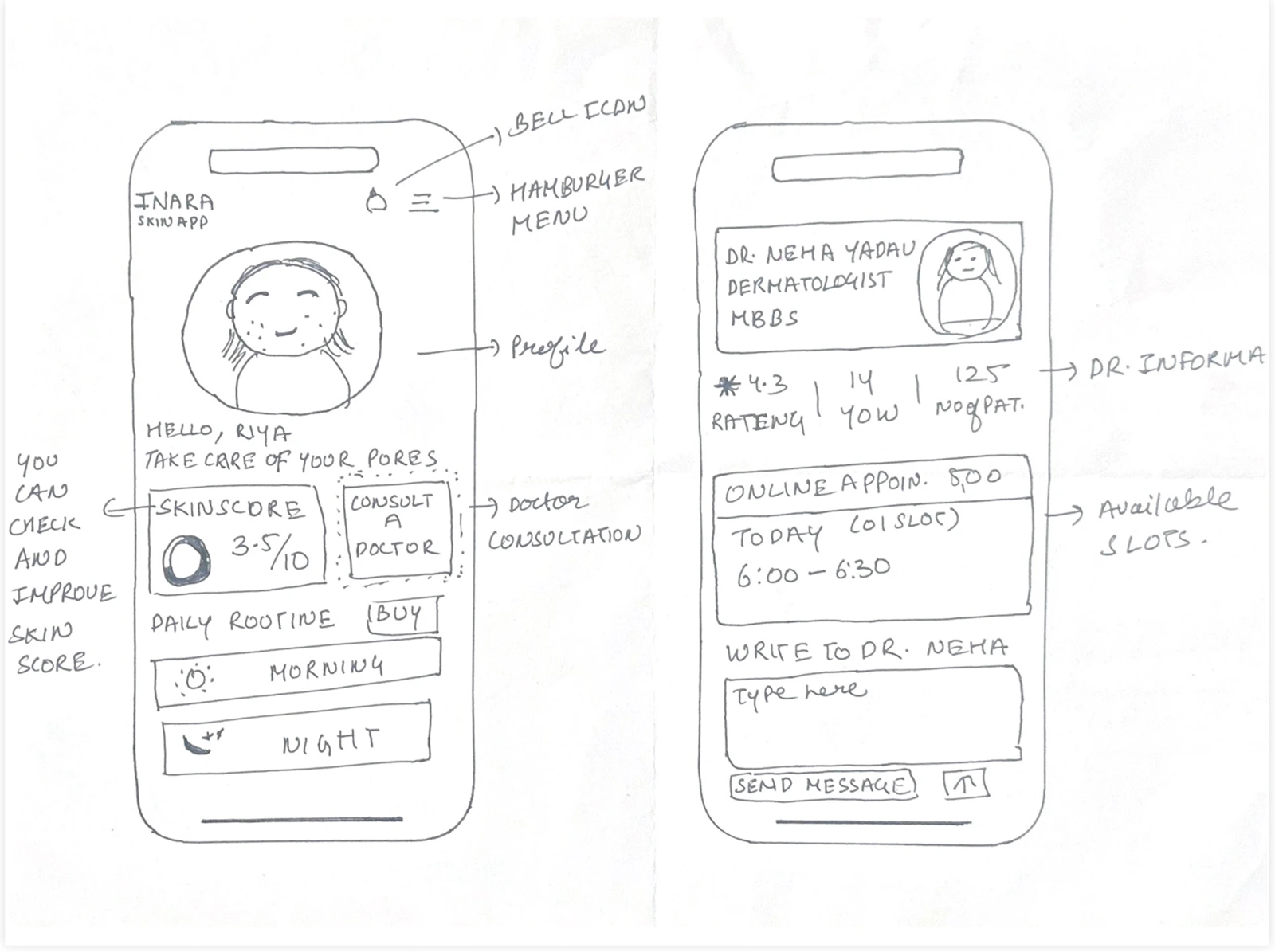
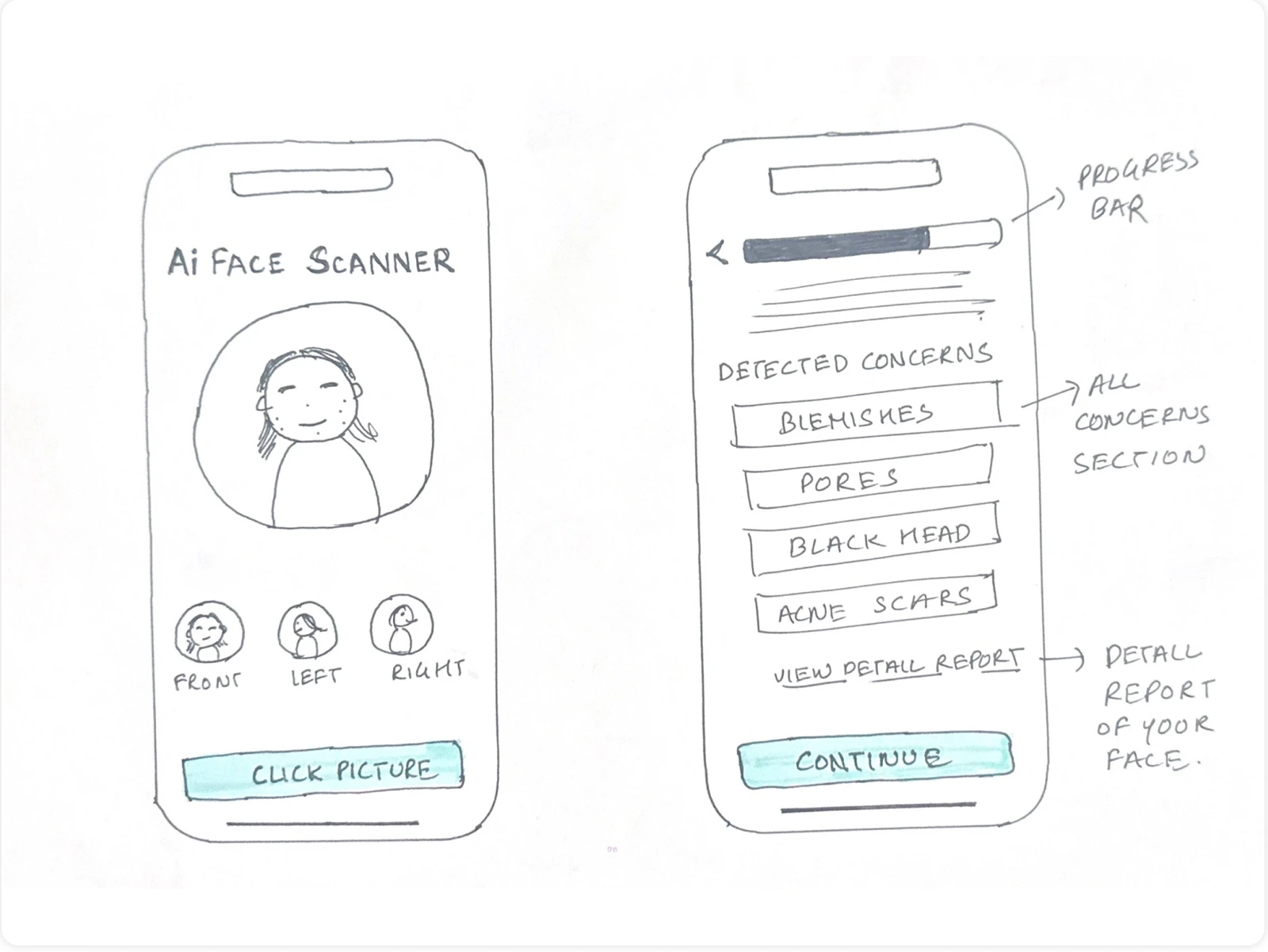
The Crazy 8 exploration considers skin scores, scanning, progress, lifestyle, routines, products, and doctor access. Low-fidelity sketches then organise the key interactions before visual styling.
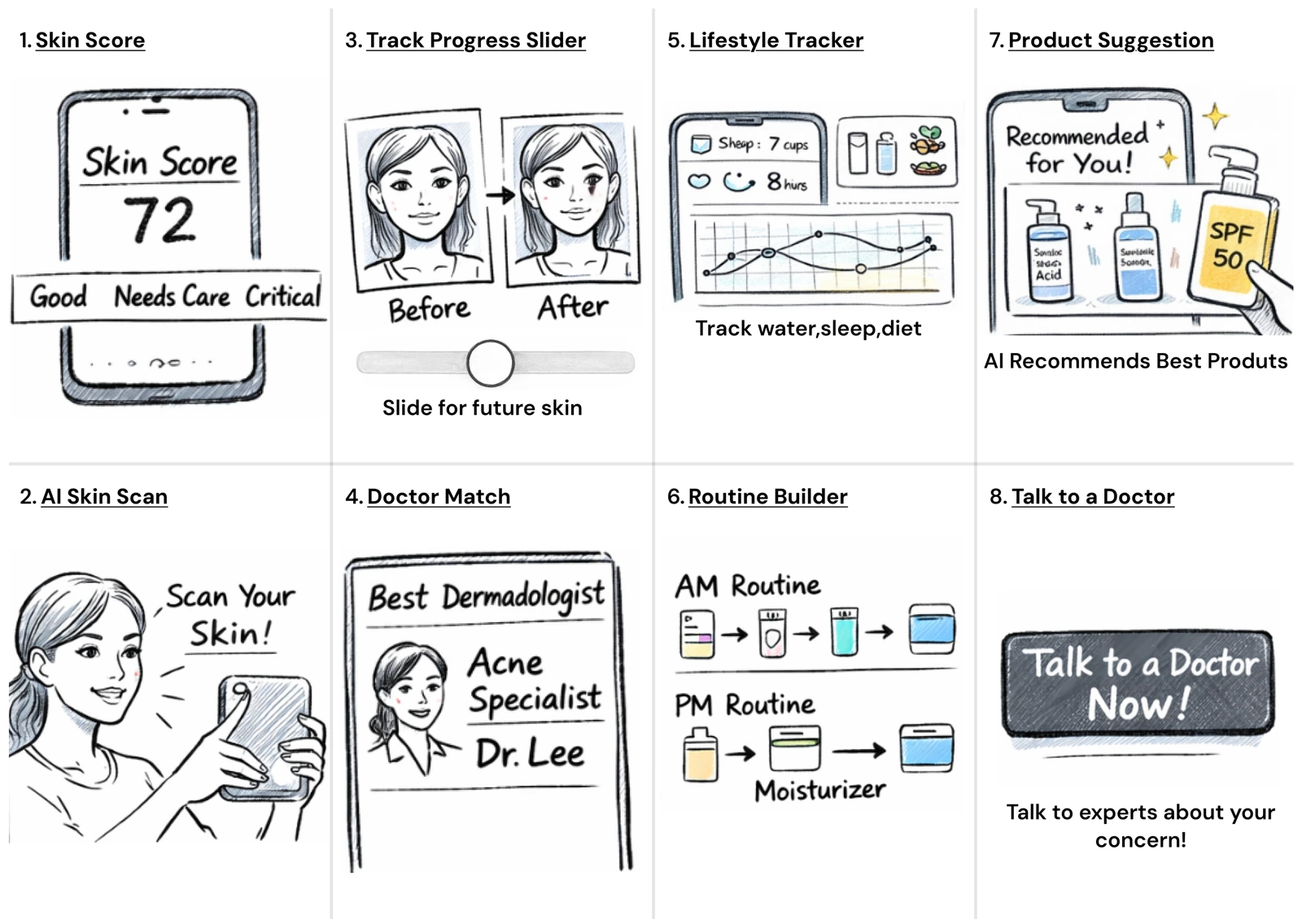
Eight early directionsEnlarge ↗
Eight early directionsConcept sketches used to explore possible parts of the experience.
WHAT THE SKETCHES HELPED FRAME

The experience needs more
than a scan result.

The ideas span three needs: understanding a concern, deciding what to do, and staying engaged over time. The wireframes connect those needs through onboarding, scanning, Home, and consultation.

Declare assumptionsCreate an MVPRun an experimentLearn & refine

The project follows a Lean UX approach. Ideas in the sketches represent exploration, not a list of shipped features.

Explore the low-fidelity flows
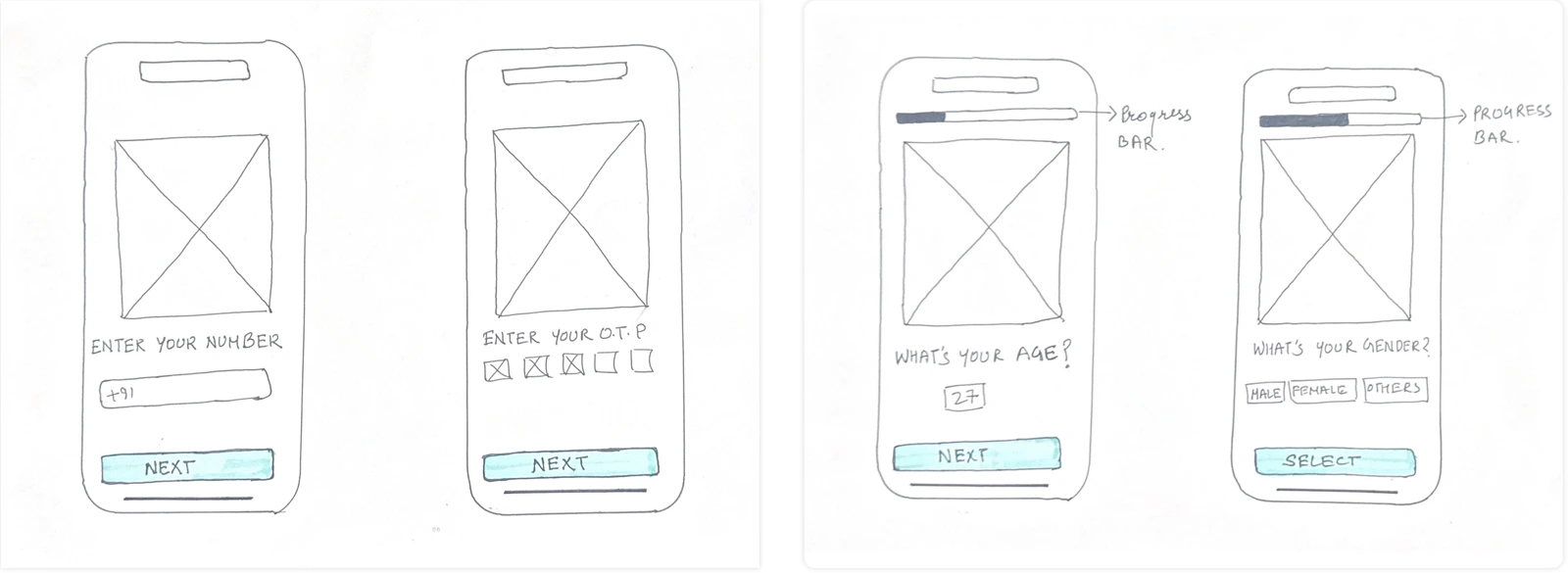
Onboarding foundationsEnlarge ↗
Onboarding foundationsEntry and profile questions establish the first steps.
Scan and concern selectionEnlarge ↗
Scan and concern selectionA guided capture leads to a review of concerns.
Home and consultationEnlarge ↗
Home and consultationEarly structure for personal information and expert booking.
05 / VISUAL LANGUAGE

Calm surfaces.
Clear decisions.

Soft lavender, sky blue, and mint bring a gentle tone to the interface. Dark text, white surfaces, and consistent primary actions keep the content organised.
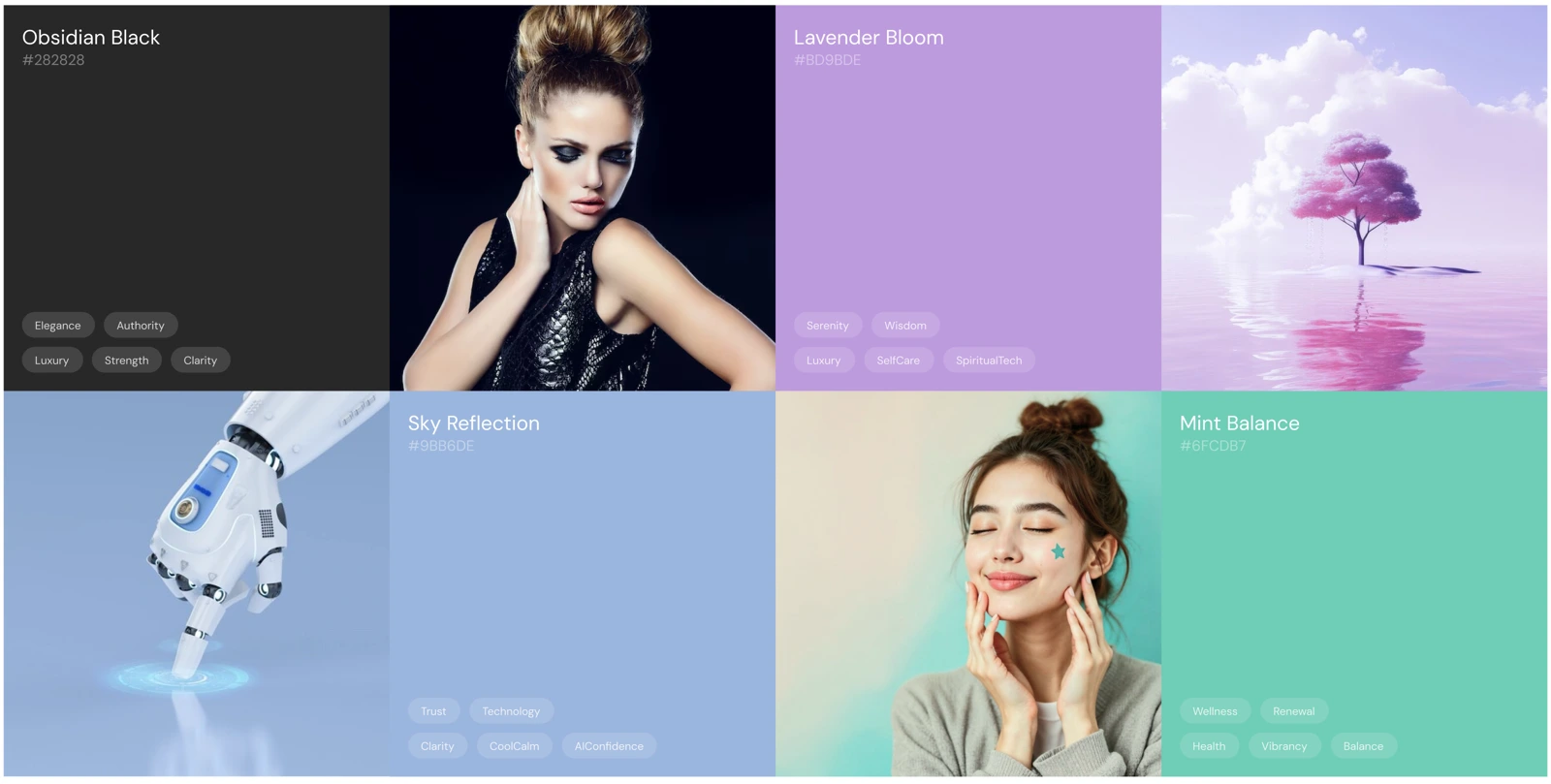
LavenderPrimary accents
Sky blueSupporting colour
MintSupporting colour
ObsidianText & contrast
WhiteContent surfaces
The visual directionEnlarge ↗
The visual directionColour, imagery, and mood references from the design exploration.
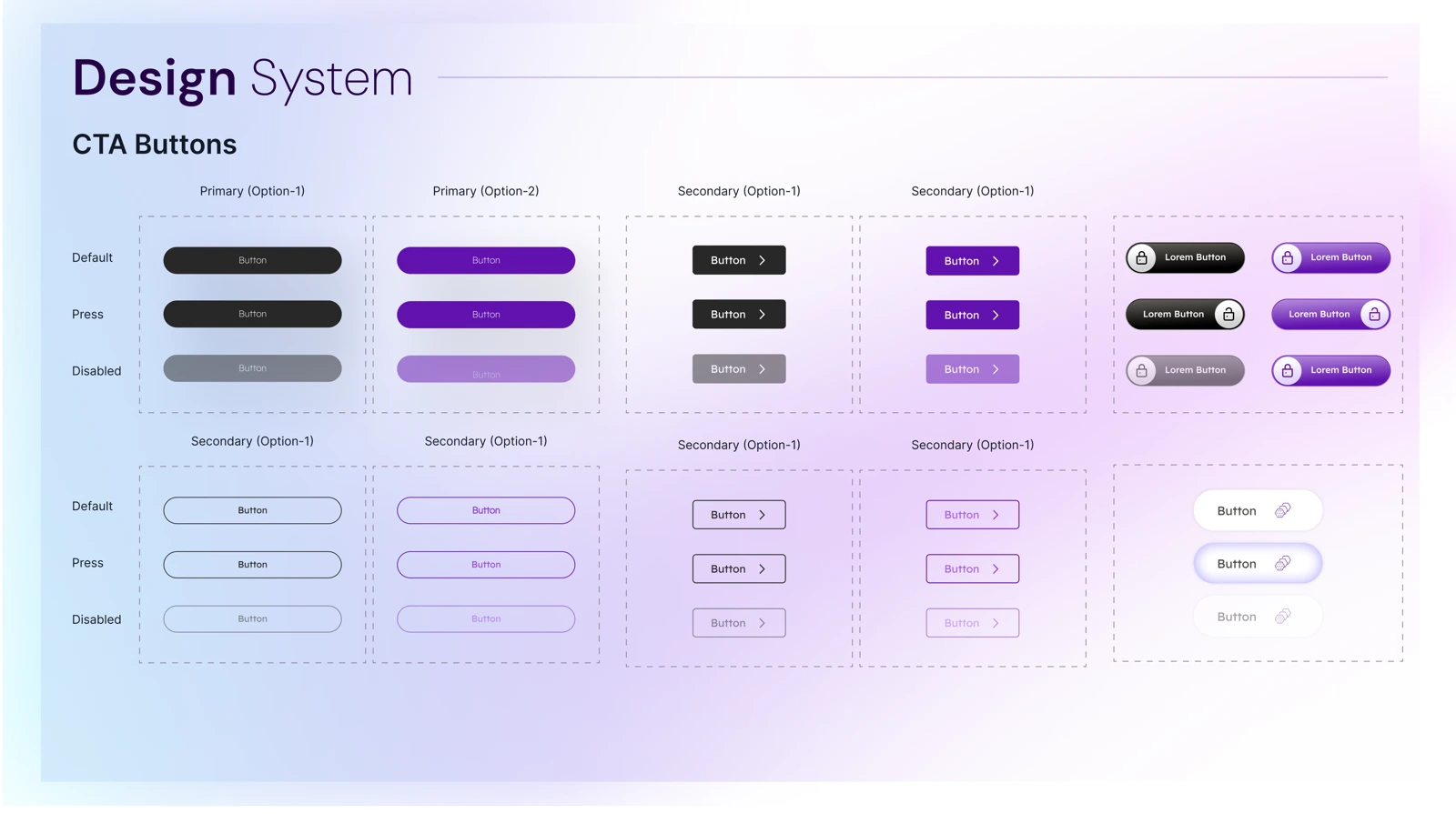
A consistent action systemEnlarge ↗
A consistent action systemPrimary, secondary, pressed, and disabled button explorations.
View the typography exploration
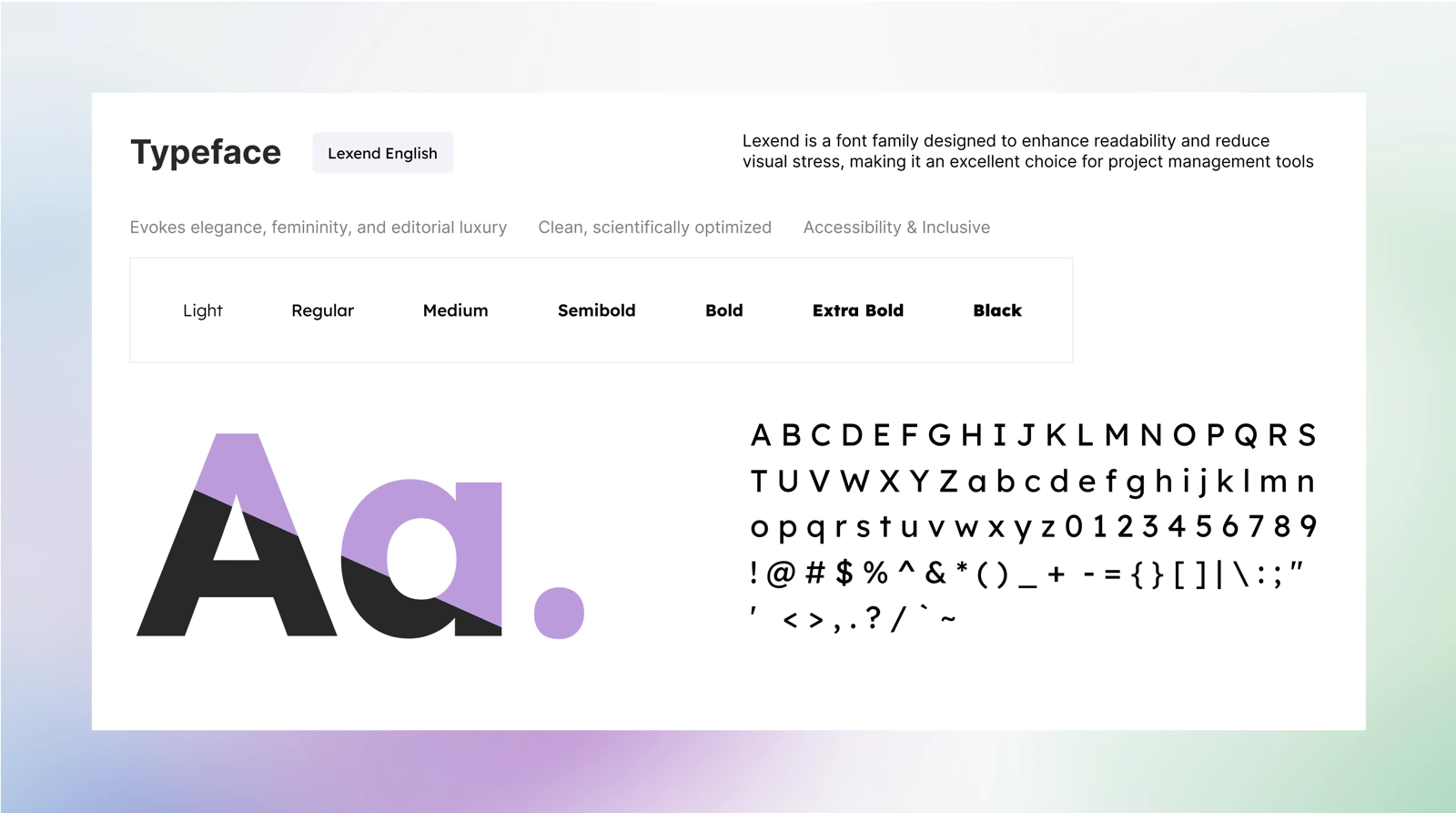
Lexend typography explorationEnlarge ↗
Lexend typography explorationThe supplied typography board explores weights and character styles.
06 / THE MOBILE EXPERIENCE

A little guidance.
At every step.

The final screens connect onboarding, face scanning, concern selection, a skin report, and consultation. Each chapter below explains the purpose of that moment in the flow.

01 / A WELCOMING START

Make the first step
feel approachable.

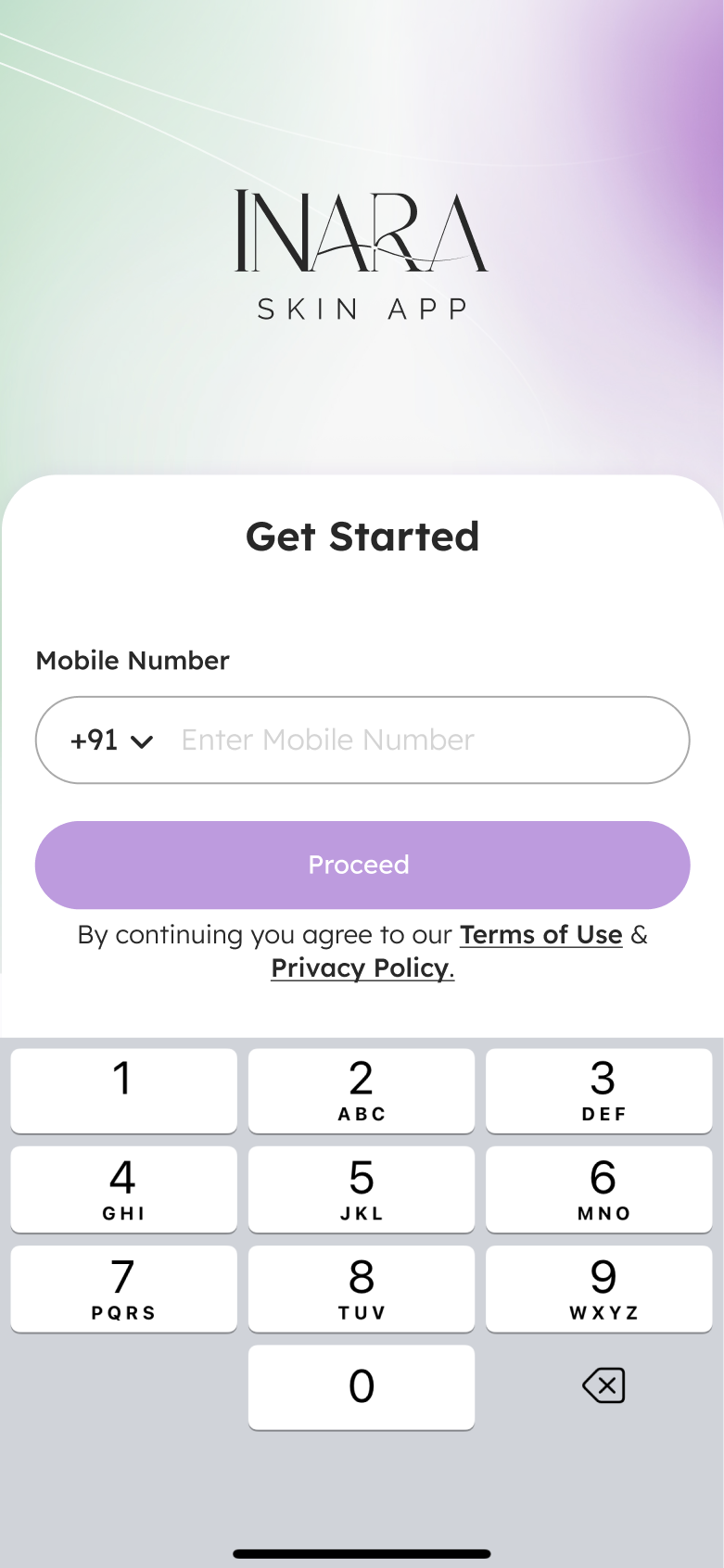
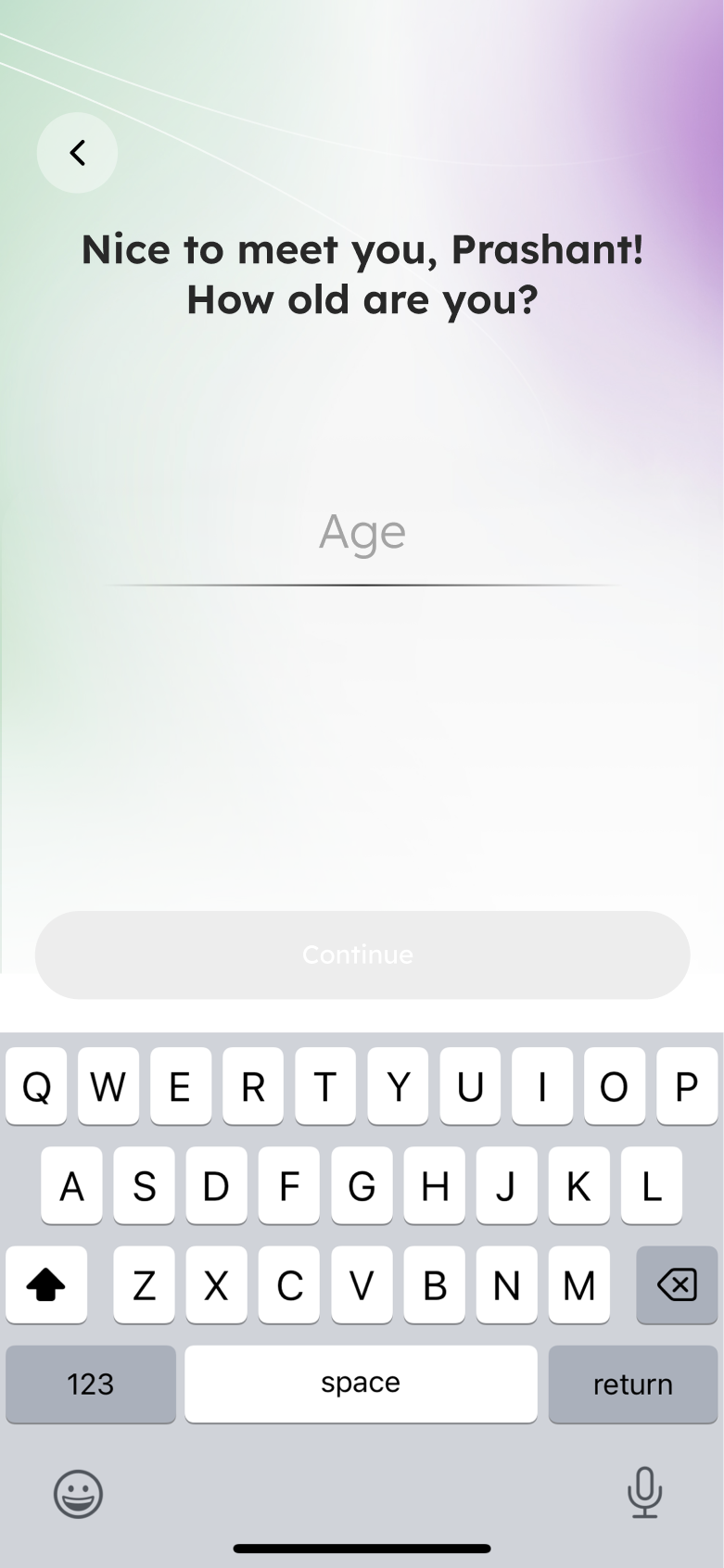
A people-led welcome introduces the app. Mobile-number entry and a short profile question then move the person into the experience one step at a time.

Design intention

A single primary action keeps the next step easy to spot.

Start simplyOne question at a timeBuild personal context
A warm introductionEnlarge ↗
A warm introductionThe product starts with a human, welcoming image.
A familiar entry pointEnlarge ↗
A familiar entry pointEnter a mobile number to get started.
Personalise the journeyEnlarge ↗
Personalise the journeyAdd age information through a focused profile step.
02 / GUIDED CAPTURE

Explain the scan.
Show what to do.

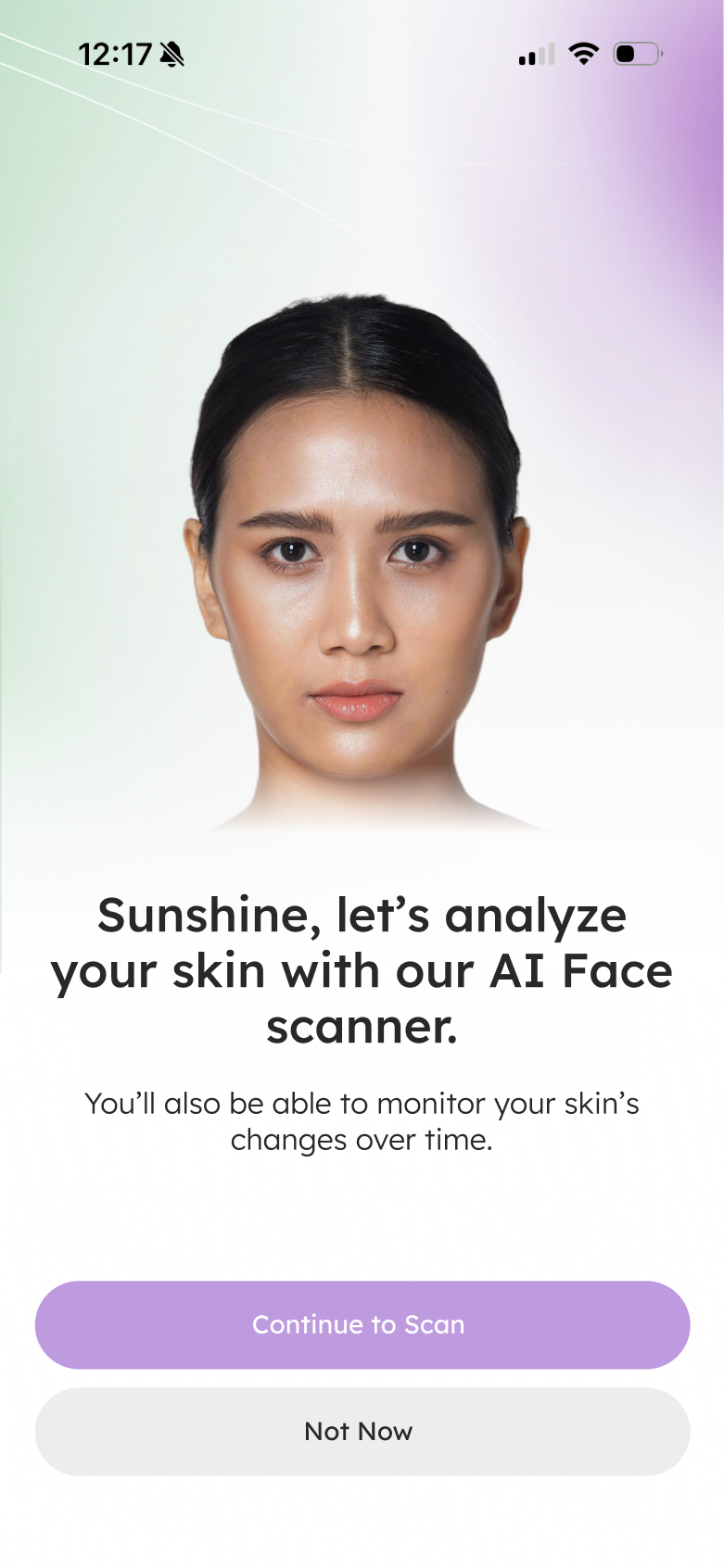
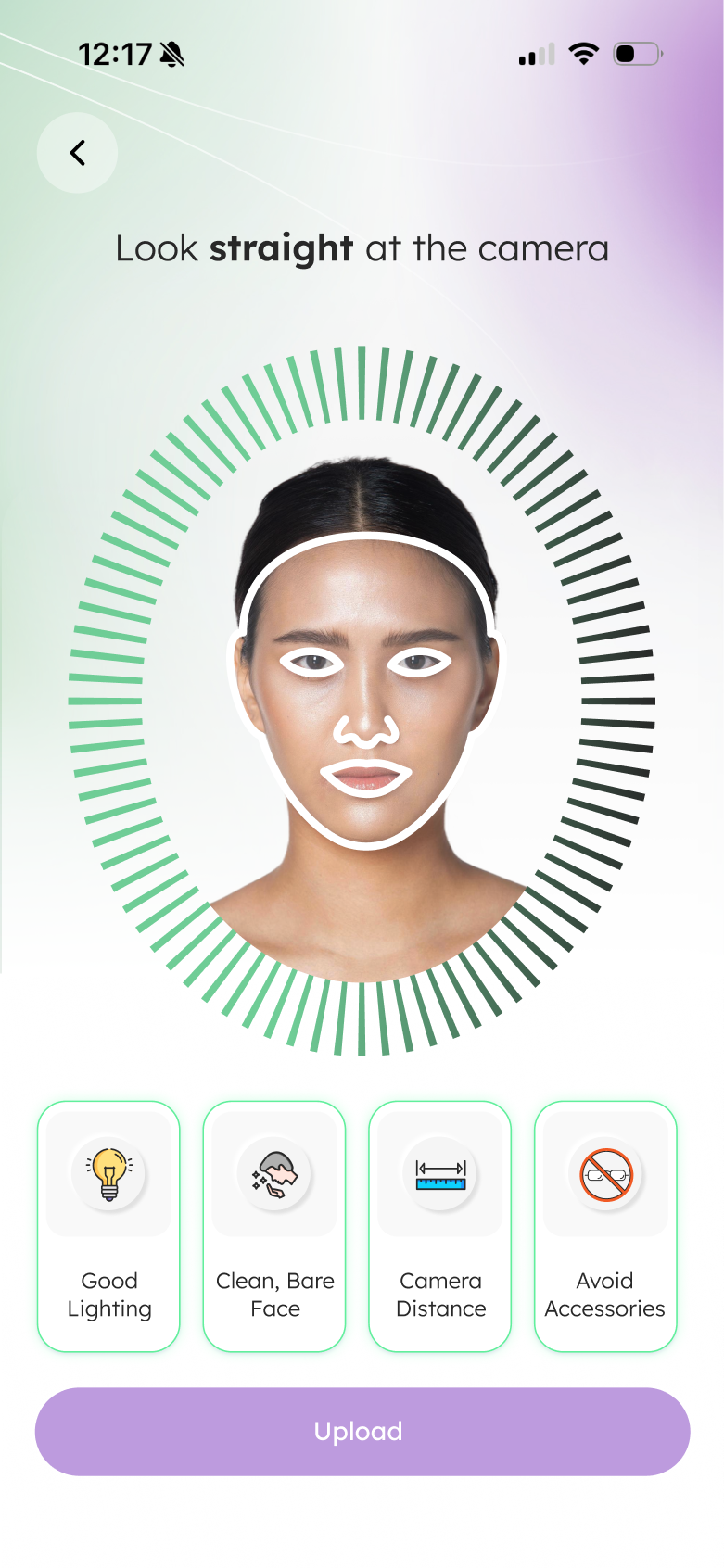
The scan introduction, camera guidance, and result summary create a visible sequence. Instructions sit beside the face preview so the person can understand the task while doing it.

The key interaction

Move from preparation to capture to review, with a clear action at each stage.

PrepareCapture with guidanceReview the result
PrepareEnlarge ↗
PrepareIntroduce the face-scanning step.
CaptureEnlarge ↗
CaptureUse the face guide and on-screen instructions.
ReviewEnlarge ↗
ReviewShow the initial concern summary.
03 / MAKE THE INFORMATION READABLE

From a result
to a clearer picture.

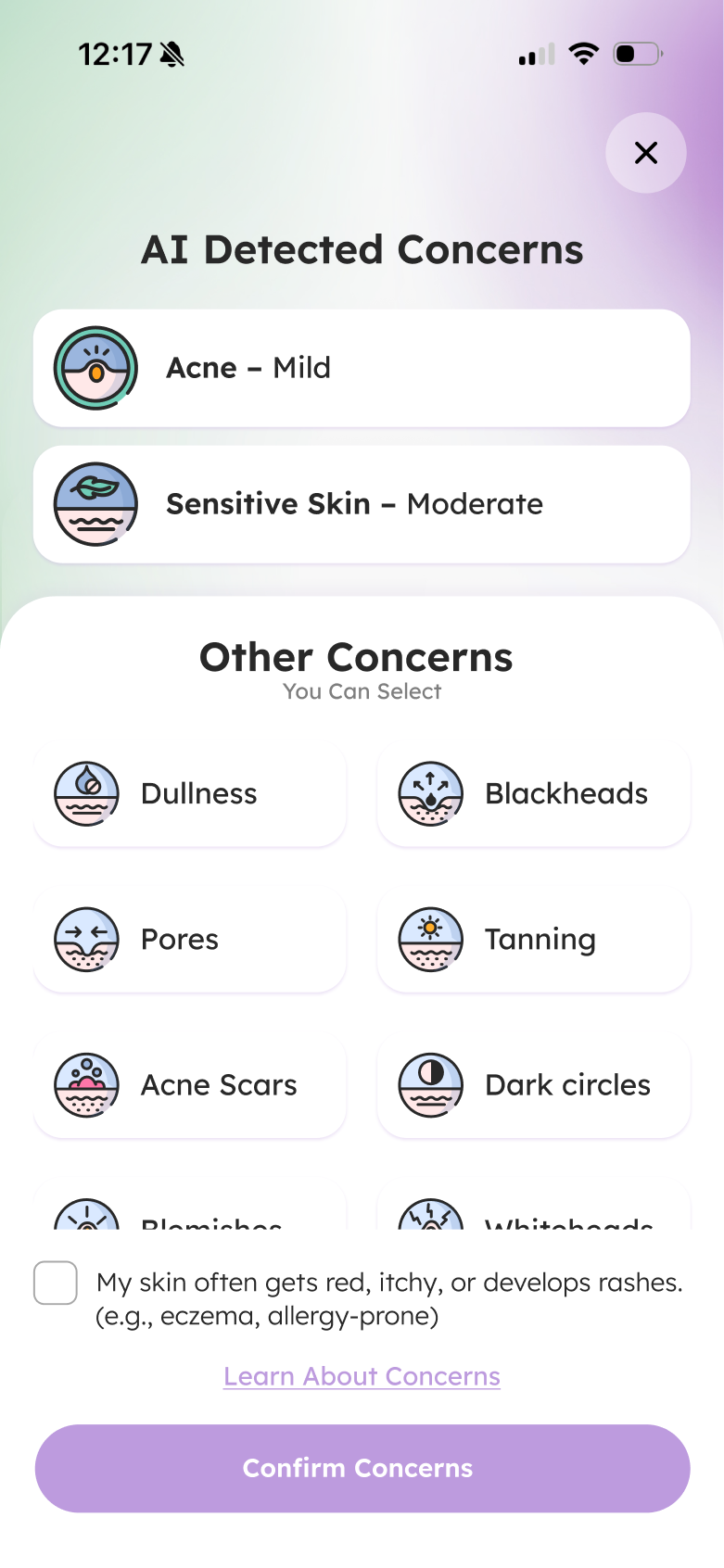
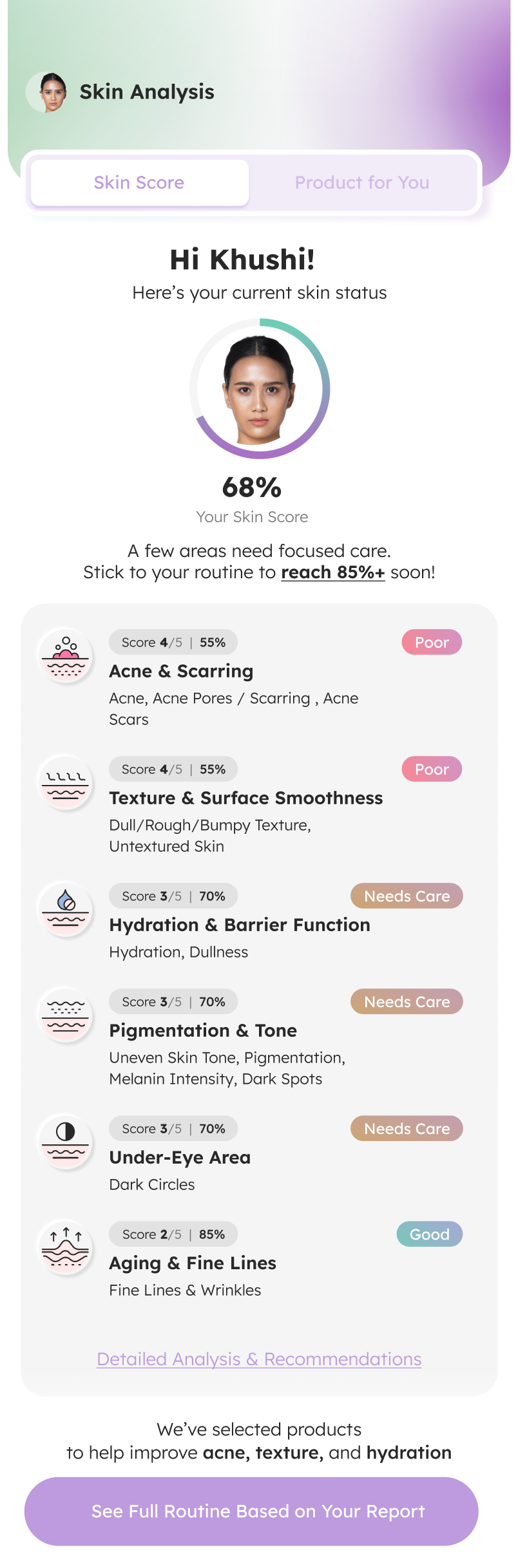
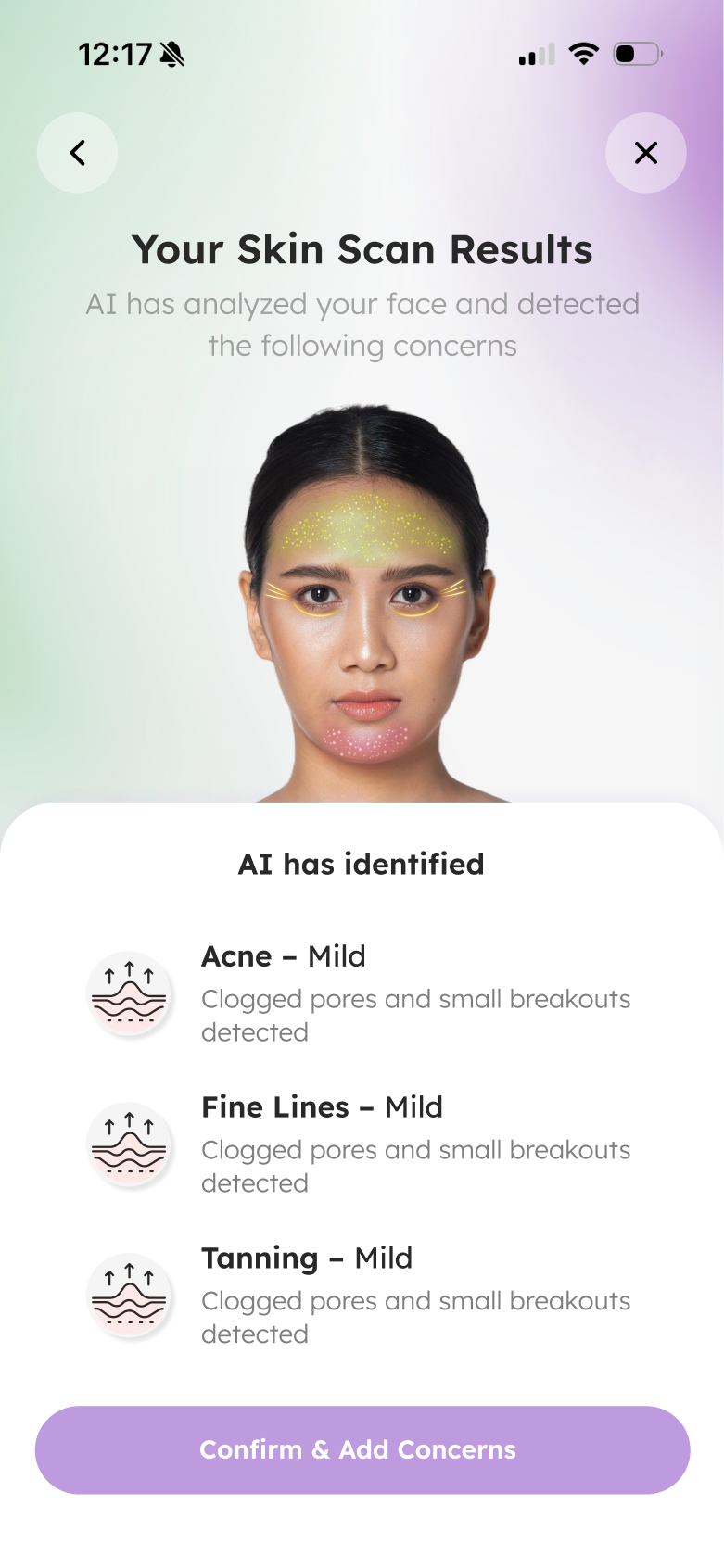
Concern selection allows people to add context beyond the initial scan. The longer report groups the information into individual concern rows, with labels and a next-step action.

  • Summary first: an overview anchors the report.
  • Detail next: separate rows organise the concerns.
  • Action last: connect the report to further guidance.

Scores and concern labels are interface examples. The case study does not establish diagnostic accuracy.

Review concernsAdd your contextExplore the report
Add personal contextEnlarge ↗
Add personal contextSelect additional concerns before continuing.
A structured skin reportEnlarge ↗
A structured skin reportScroll to inspect the report, or open it at full size.
Home: the journey continuesEnlarge ↗
Home: the journey continuesScroll through the complete Home screen. Click to enlarge.
04 / A PLACE TO RETURN TO

Bring the next steps
into one home.

Home connects the personal overview with consultation, products, product scanning, and learning content. The page extends the experience beyond a one-time scan.

01

Personal overview

Keep the person’s skin information near the top.

02

Expert access

Surface a route to professional consultation.

03

Product discovery

Bring product scanning and browsing into the same journey.

04

Learning & continuity

Use educational content and routine-related sections to support return visits.

05 / CONNECT WITH AN EXPERT

From considering care
to booking a slot.

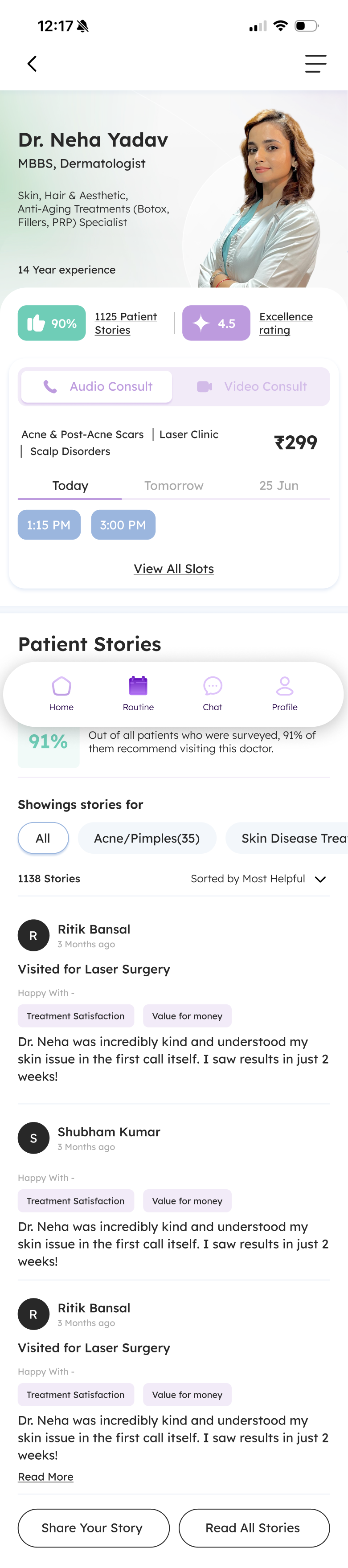
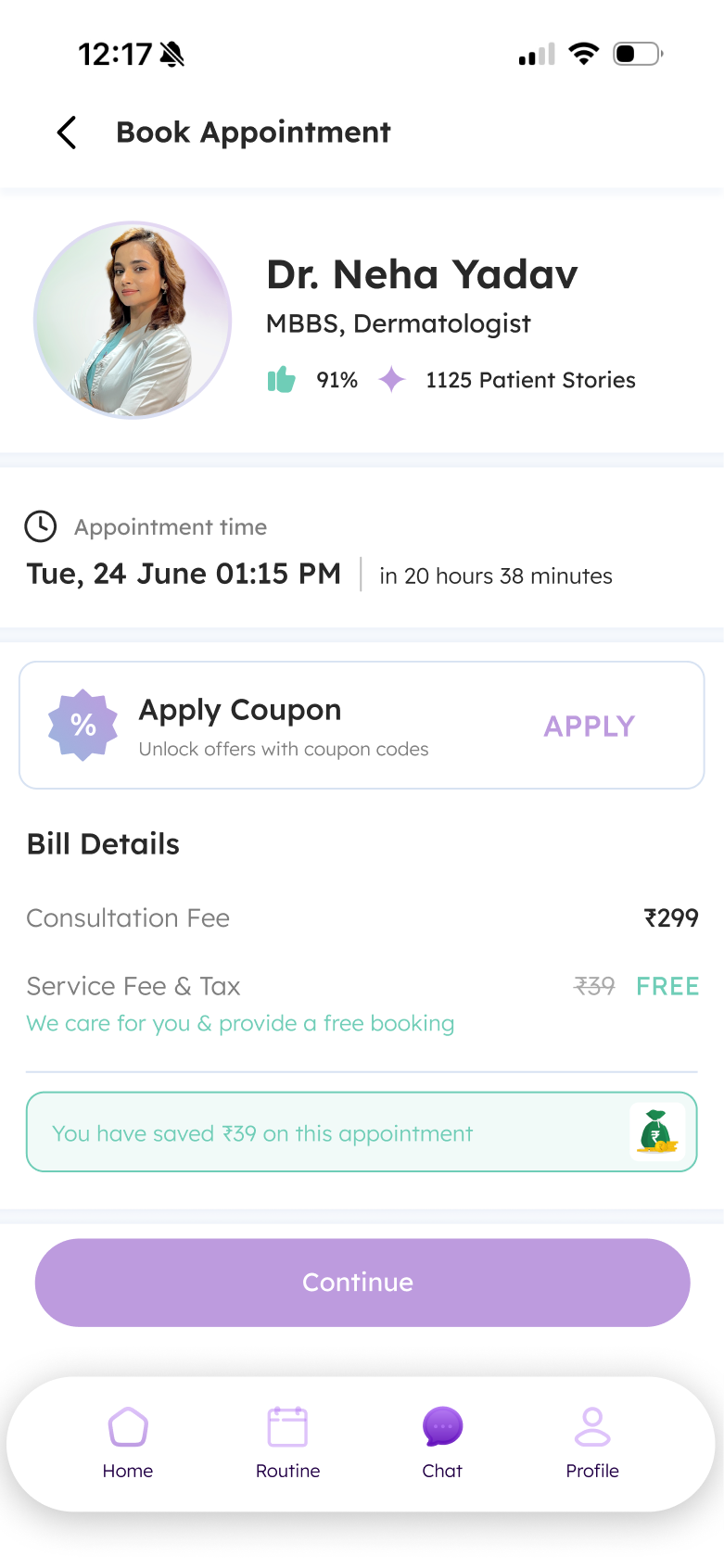
The doctor profile brings professional details, available slots, and patient stories together. The booking screen then summarises the appointment and billing information.

Why the sequence matters

People can review who they are booking with before moving into the appointment details.

Meet the expertChoose a slotReview the booking
Review the doctor profileEnlarge ↗
Review the doctor profileScroll to see the full profile, slots, and stories.
Review the appointmentEnlarge ↗
Review the appointmentAppointment and payment details share one screen.
07 / REFLECTION

Make the next step
easier to understand.

INARA’s design brings skin information, product discovery, learning, and consultation into one mobile journey. The strongest design thread is continuity: helping people see what comes after the first scan.
VALIDATION & NEXT QUESTIONS

Clarity before confidence.

The source describes MVP review with the team, dermatology experts, and stakeholders, followed by feedback from people with common skin concerns. Detailed findings and measured outcomes were not supplied.

  • Do people understand the role and limits of the scan?
  • Can they find a suitable next step after the report?
  • Can they review and complete a booking easily?

Open image ↗
NEXT PROJECTNITI Aayog↗