National leadership
PM & cabinet secretaries · Strategic national reviews
Connecting governance data, immersive displays, and people in one shared experience.
Explore the interfaces Watch the centre in motion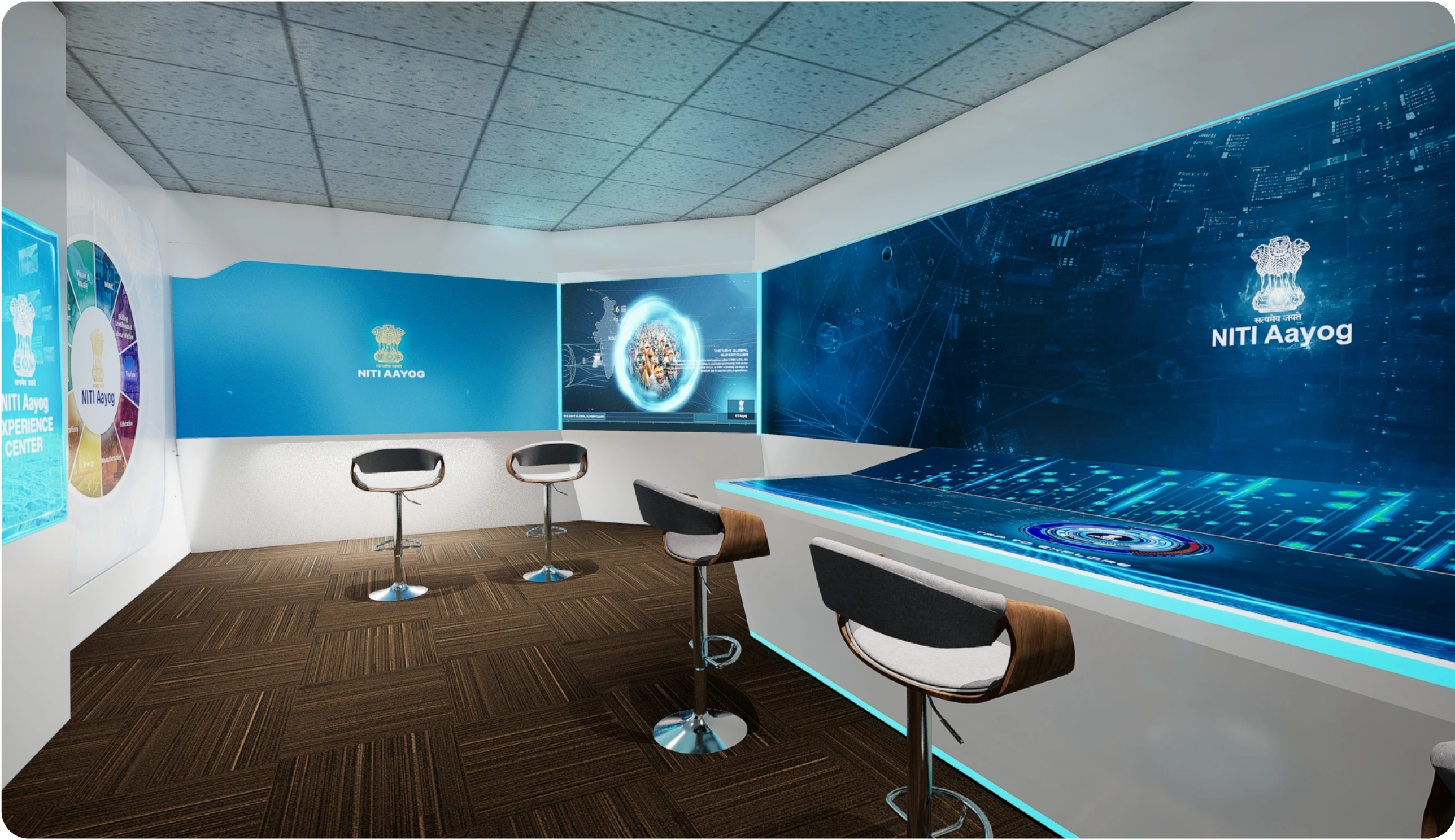
The centre brings policy information, regional performance, and development data into one environment for monitoring, review, and strategic planning.
How might we help decision-makers see the bigger picture without losing the detail that matters?
Each audience needs a different level of detail. The experience has to support both a national overview and a focused local discussion.
PM & cabinet secretaries · Strategic national reviews
Chief ministers & chief secretaries · State performance
District magistrates & officials · District and block analysis
Trend analysis, comparisons, and evidence for review
A guided introduction to India’s digital governance initiatives
Stakeholder interviews and system audits identified five barriers: too much information, disconnected sources, static reporting, manual comparisons, and limited participation in reviews.
Printed reports and offline records sat alongside spreadsheets and existing dashboards. Bringing them together was the first step.
Physical formats
Reports · handwritten documents · offline records
Digital formats
Spreadsheets · dashboards · databases
The design connects records across formats; no measured percentage split is claimed.
Lead with major indicators; use charts and supporting context to explain them.
Bring physical and digital records into a structured ecosystem for analysis.
Move from a programme, place, or sector to the information needed for a review.
Use trends, maps, and distribution charts to make patterns easier to discuss.
Connect the table and wall displays so the group can follow the same story.
Mixed technical ability
High information density
Long viewing distances
Fast-paced reviews
The project documentation describes an AI-powered digitisation workflow for turning physical records into structured data. This foundation supports the experience; the interface makes it understandable.
Make the next layer clear: what the data means, how it compares, and where to explore next.
Large numbers surface rankings, growth, and performance indicators.
Charts show change over time, progress, and distribution.
Policies, best practices, imagery, and media sit beside the data story.
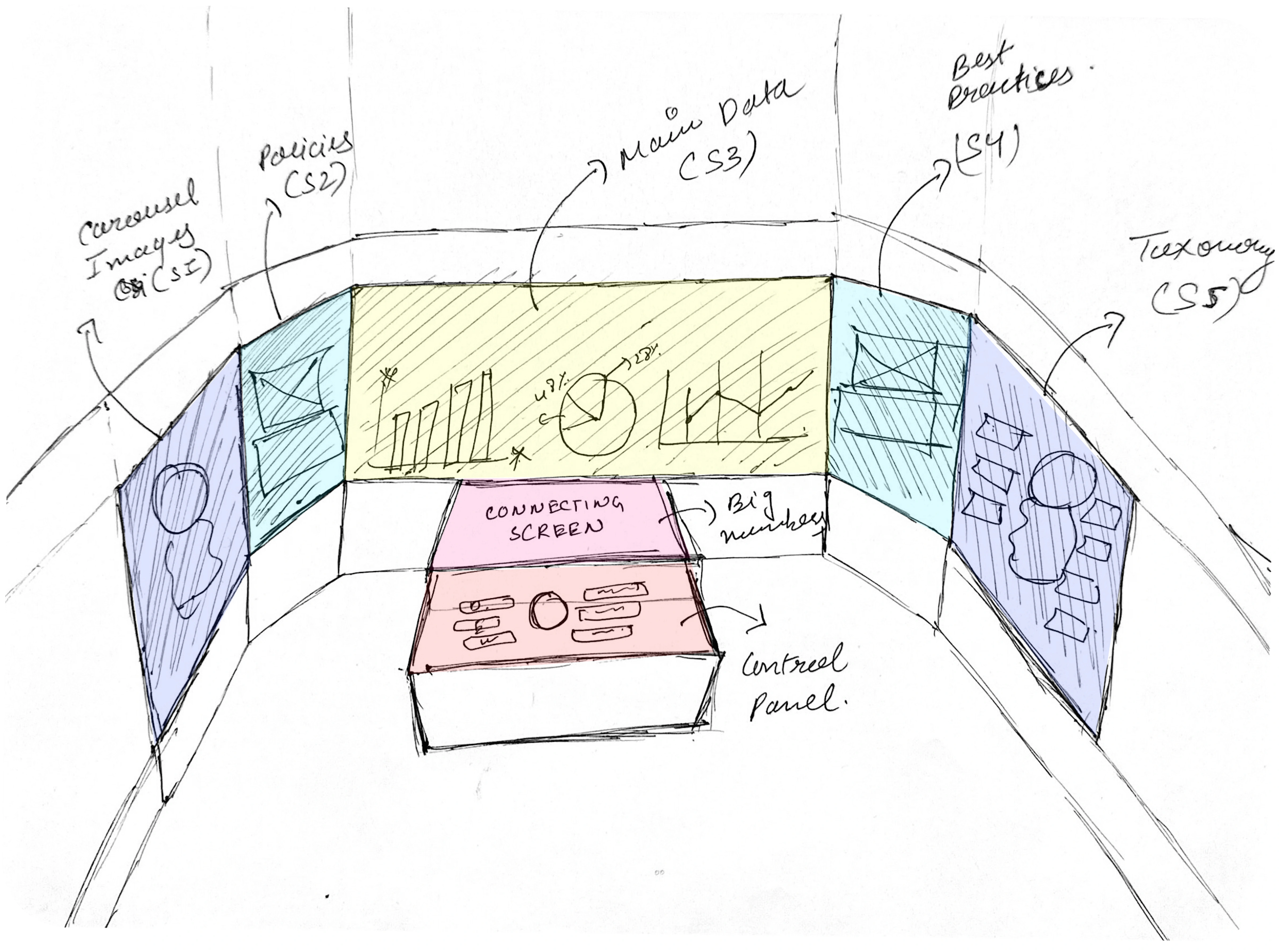
A central control surface anchors the experience. The surrounding displays distribute imagery, policies, core data, best practices, and taxonomy across the room.
 View detail ↗
The main display carries the core comparisons, while adjacent screens provide supporting context.
The control panel sits within reach; the surrounding displays keep the selected topic visible to the room.
Each screen has a clear role, helping the audience follow a complex story across a large canvas.
Simplified screen map based on the supplied spatial sketch.
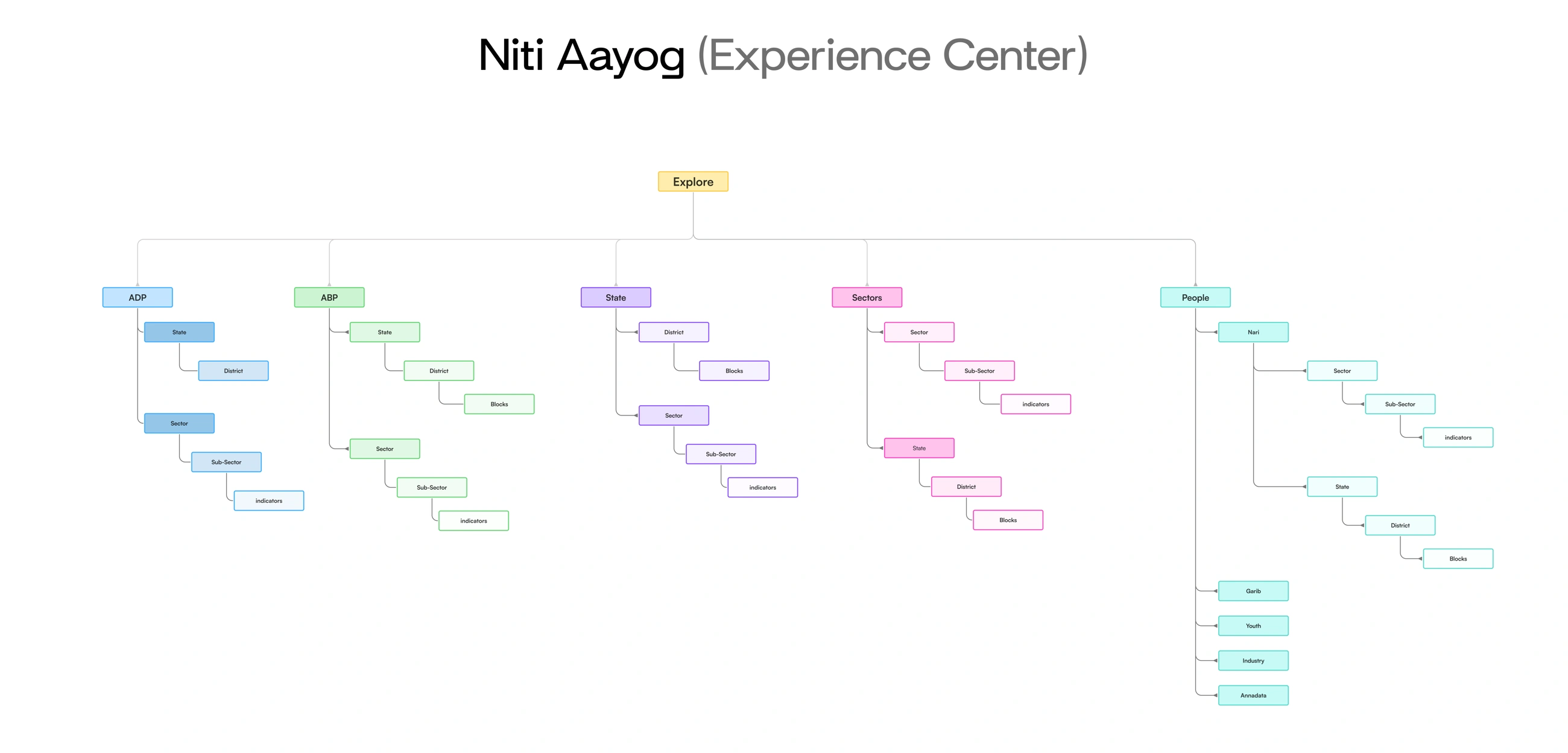
The experience starts with five entry points: ADP, ABP, State, Sectors, and People. Each leads to more focused geography or subject detail. The explorer below summarises the original navigation tree.
Explore programme data through geography or topic.
Reach block-level detail or follow a sector into its indicators.
Start with a place, then explore its districts or sectors.
Start with the subject, then explore indicators or regional detail.
The source lists Nari, Garib, Youth, Industry, and Annadata. The detailed routes below show the Nari branch documented in the original tree.
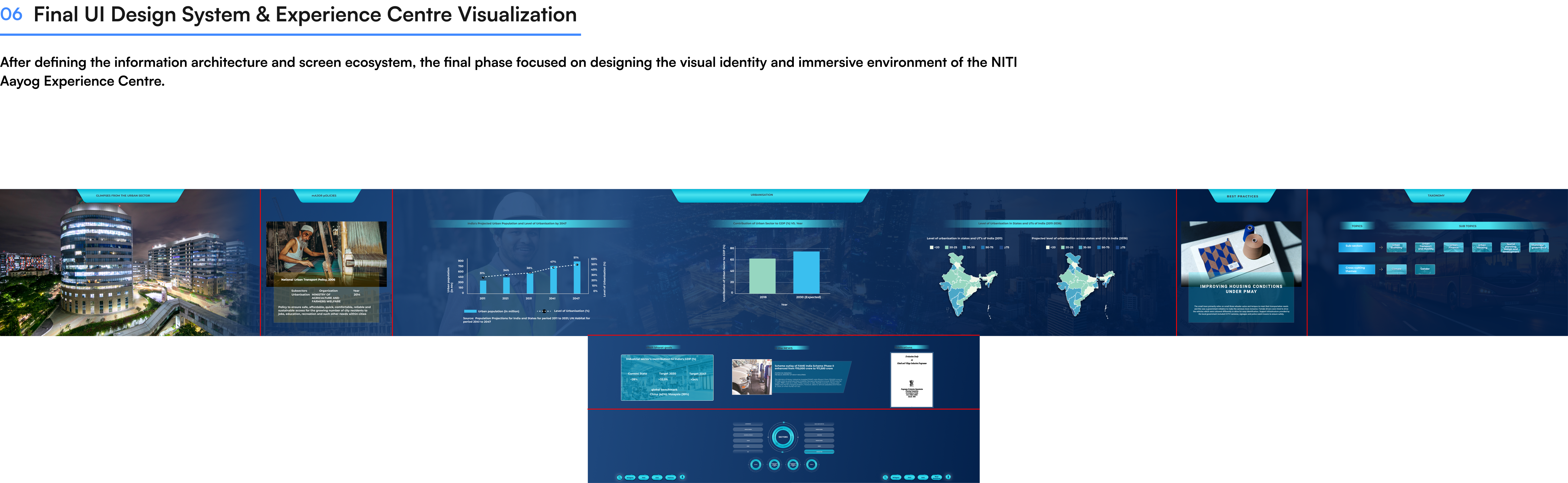
The panoramic UI keeps major policies, data, best practices, and navigation in consistent positions. Different focus areas change the content while preserving the structure.
A silent walkthrough showing the centre’s entrance, panoramic screens, interactive table, and visual data stories.
Open video ↗Choose a focus area, then enlarge the screen to inspect the detail.
 View detail ↗
Begin with an overview of urbanisation, population, economic contribution, and regional patterns.
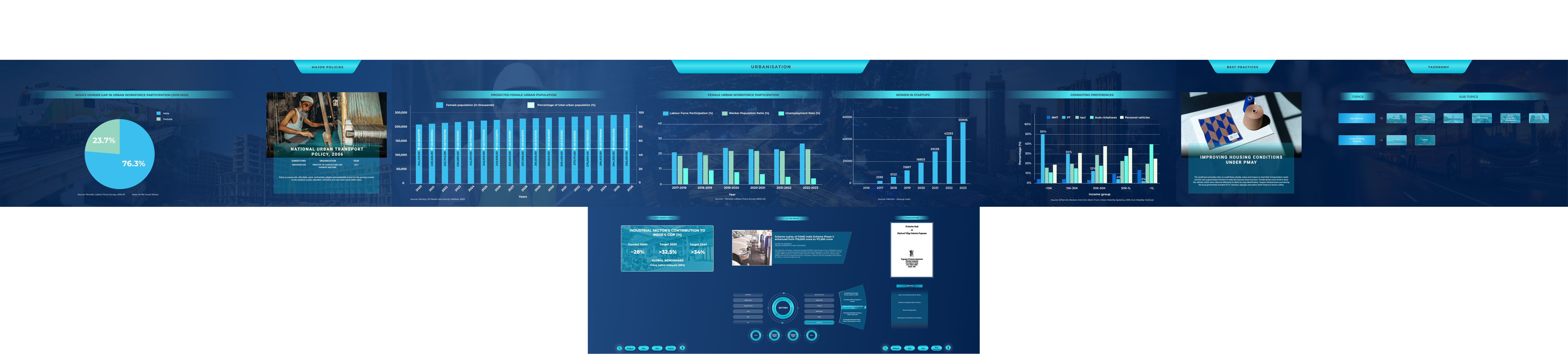 View detail ↗
Bring participation, employment, and commuting data into one shared view of gender sensitivity.
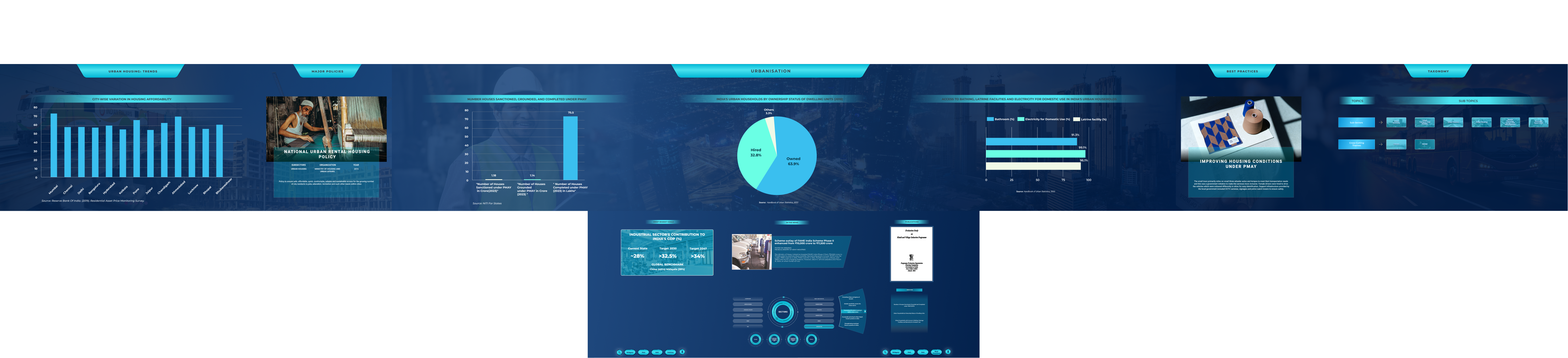 View detail ↗
Compare housing trends, ownership patterns, and access to basic services.
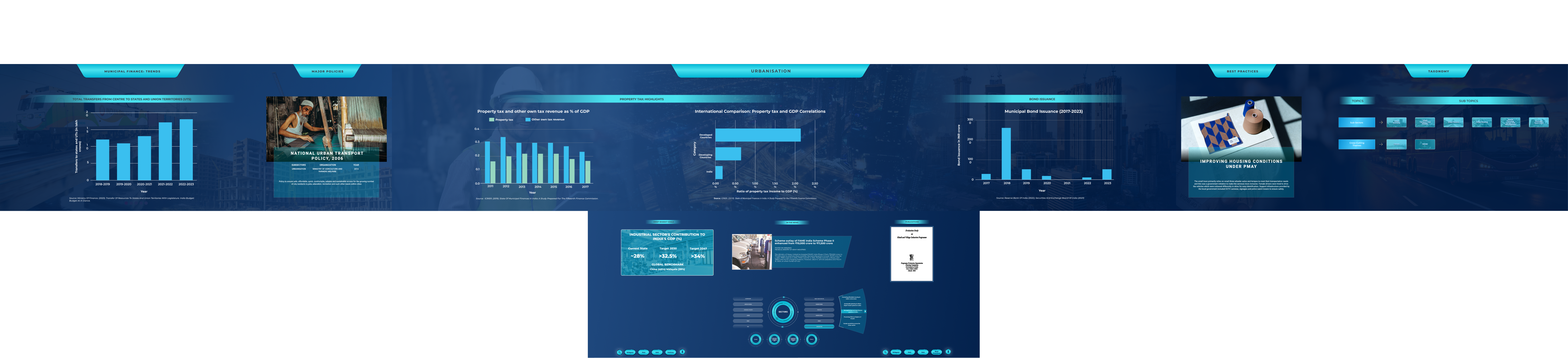 View detail ↗
Explore municipal revenue, property tax, transfers, and bond issuance across the same display structure.
Policy references and best practices support the central data story.
Charts and maps create a shared focus for comparisons and discussion.
The connected table brings topic selection and supporting details closer to the user.
The control panel and connected screen complement the room-scale display. This separates close-up interaction from the shared viewing surface.
Inspect the control interface ↗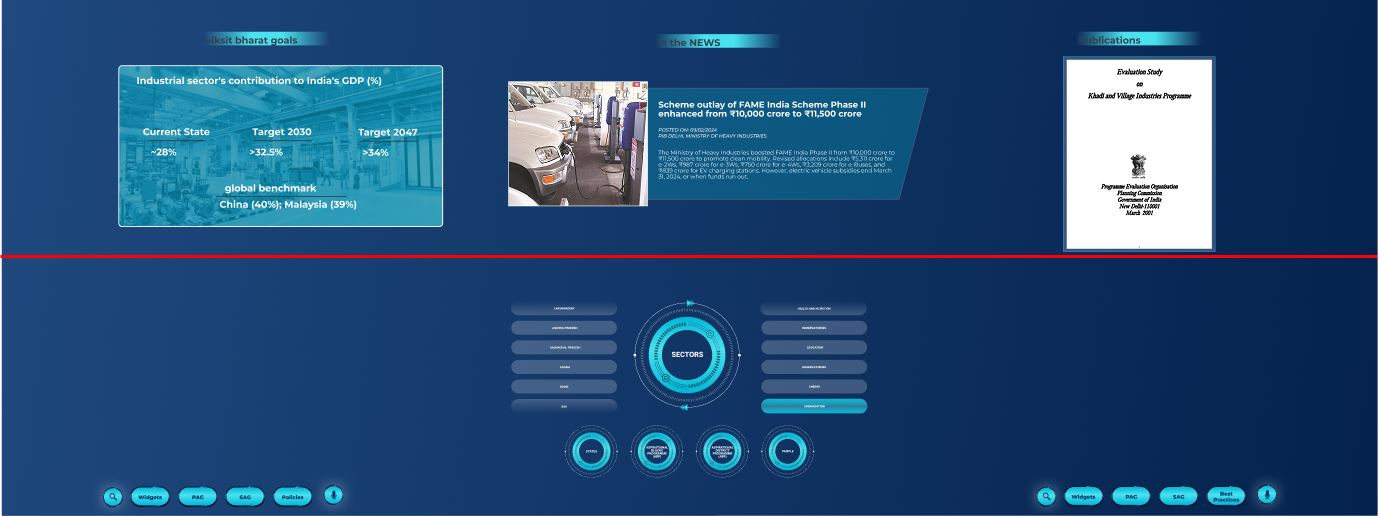 View detail ↗
Spatial visualisations show how the digital system extends across wall displays, touch surfaces, and the physical room.
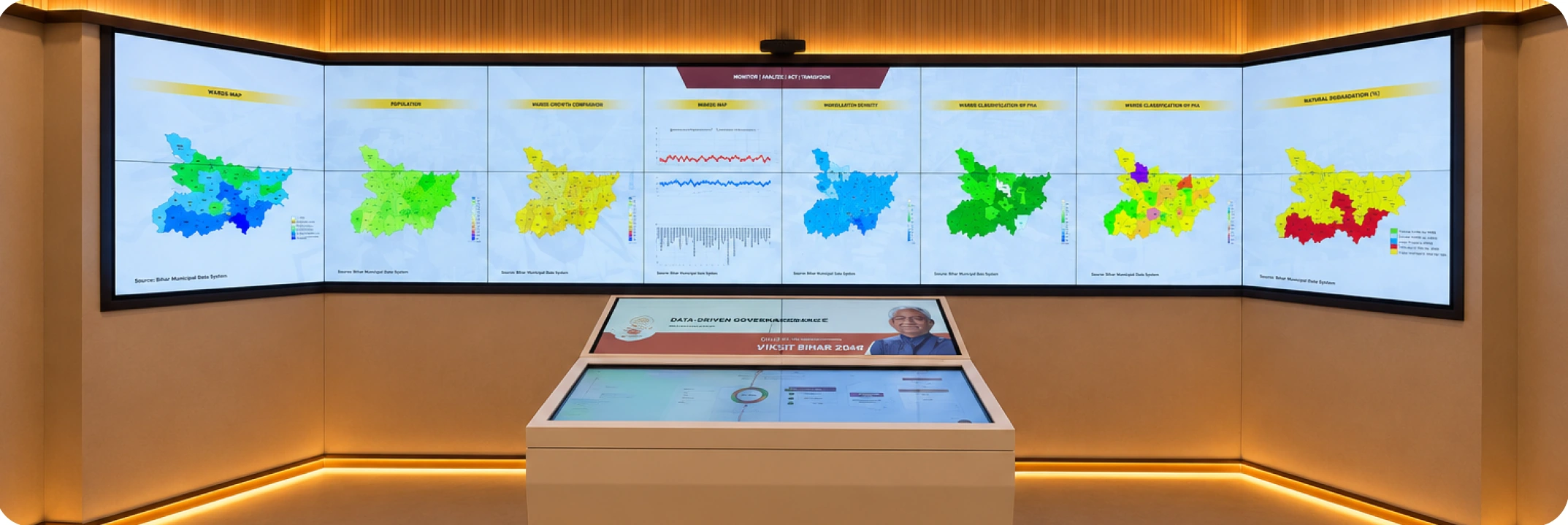 View detail ↗
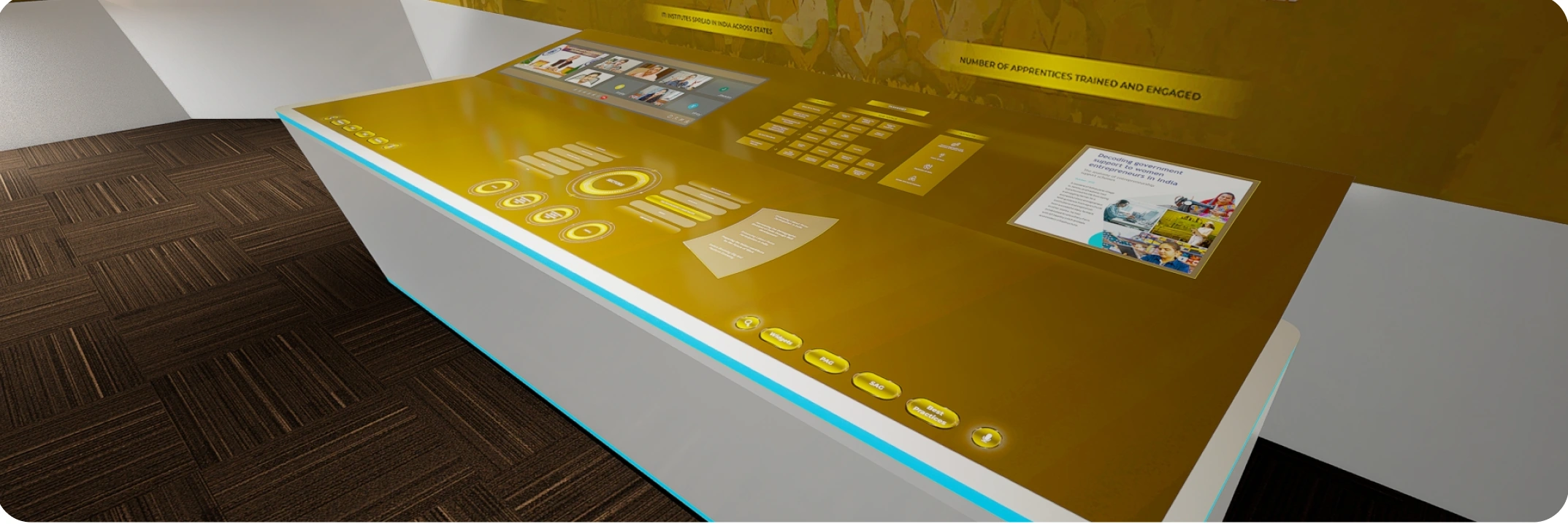 View detail ↗
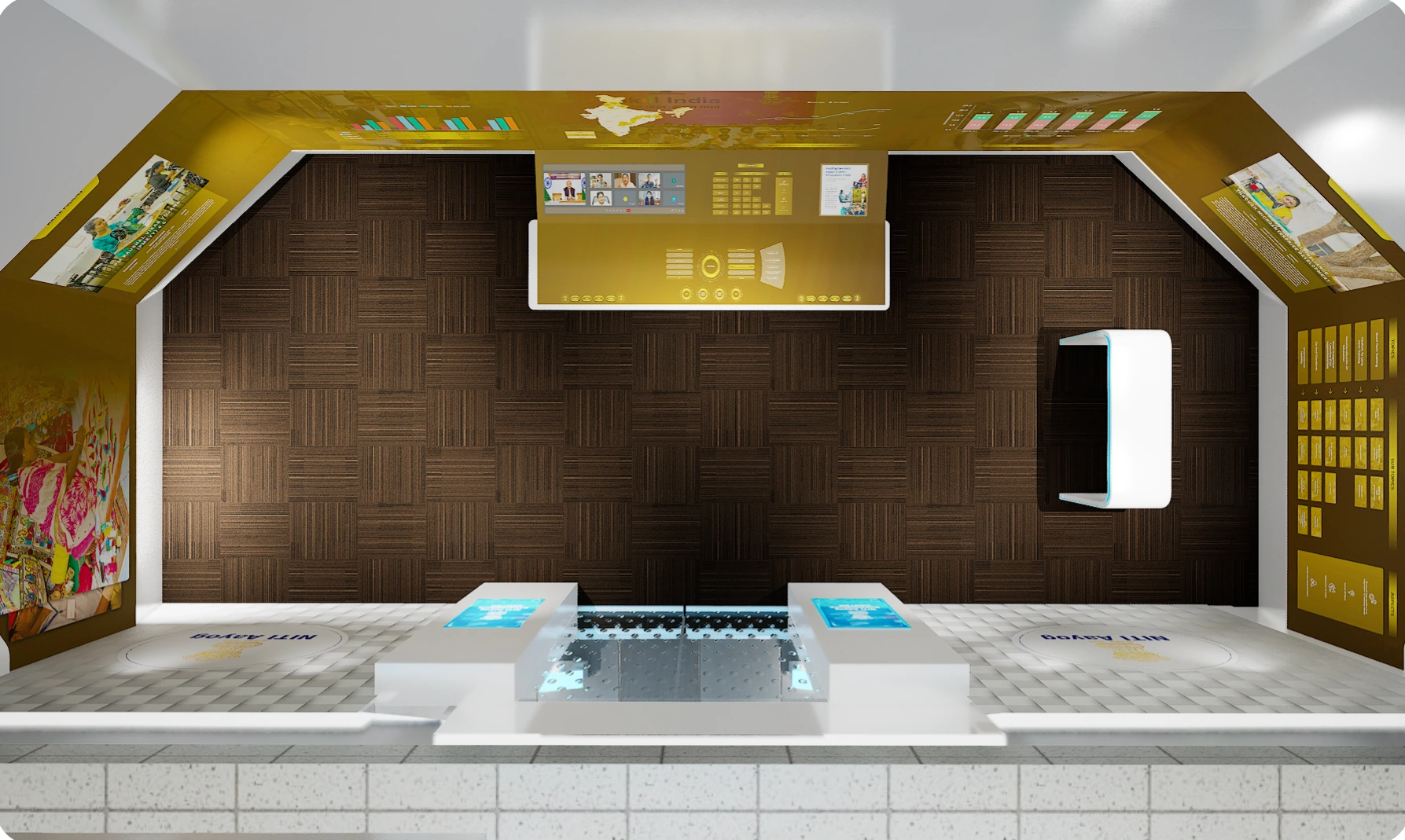 View detail ↗
The project brought digitisation, data visualisation, and a collaborative physical setting together. The design supports the following activities.
These describe the design delivered, not measured improvements in review speed or adoption.
Project photographs document leadership reviews and visiting delegations engaging with the centre.
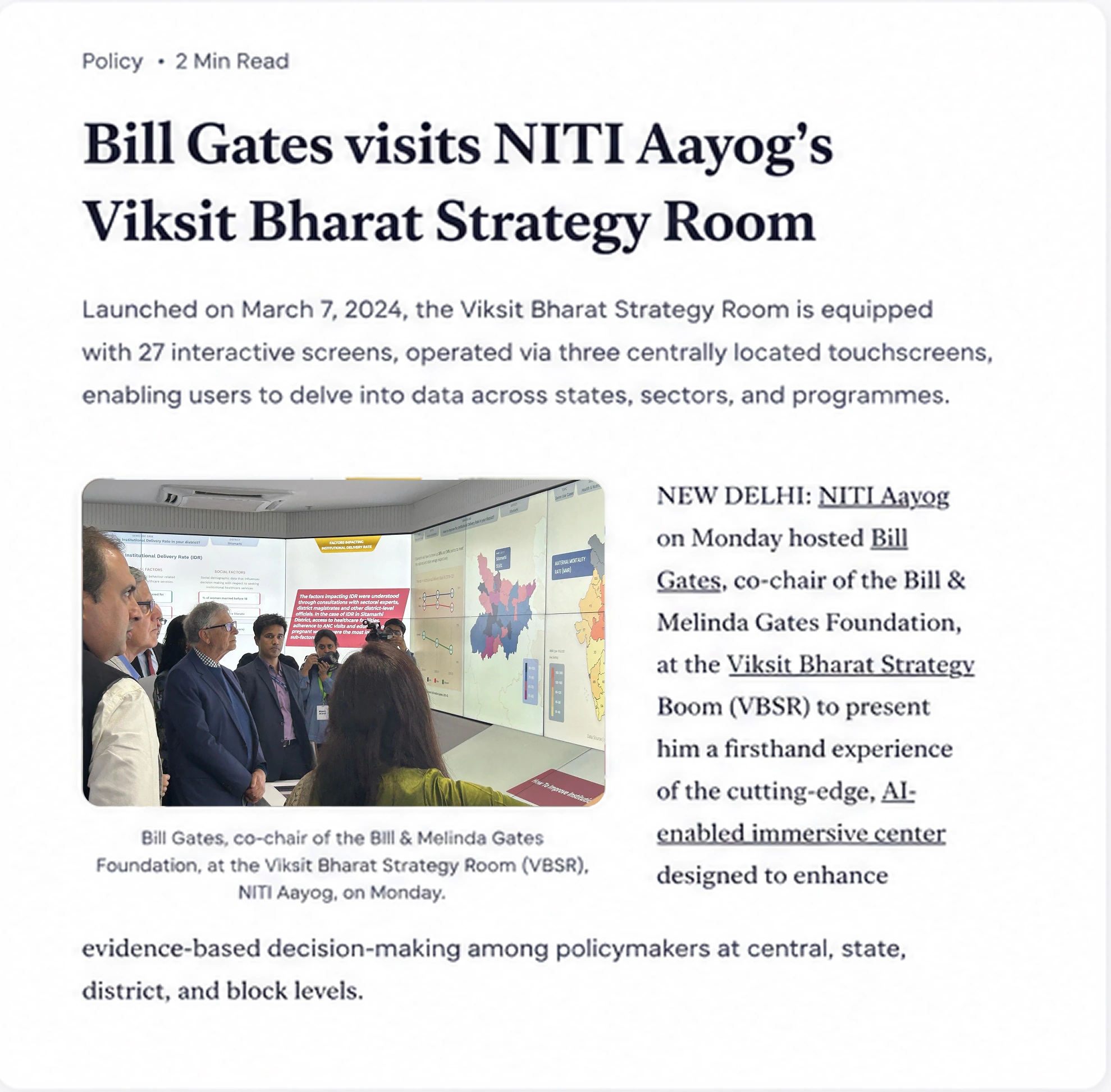 View detail ↗
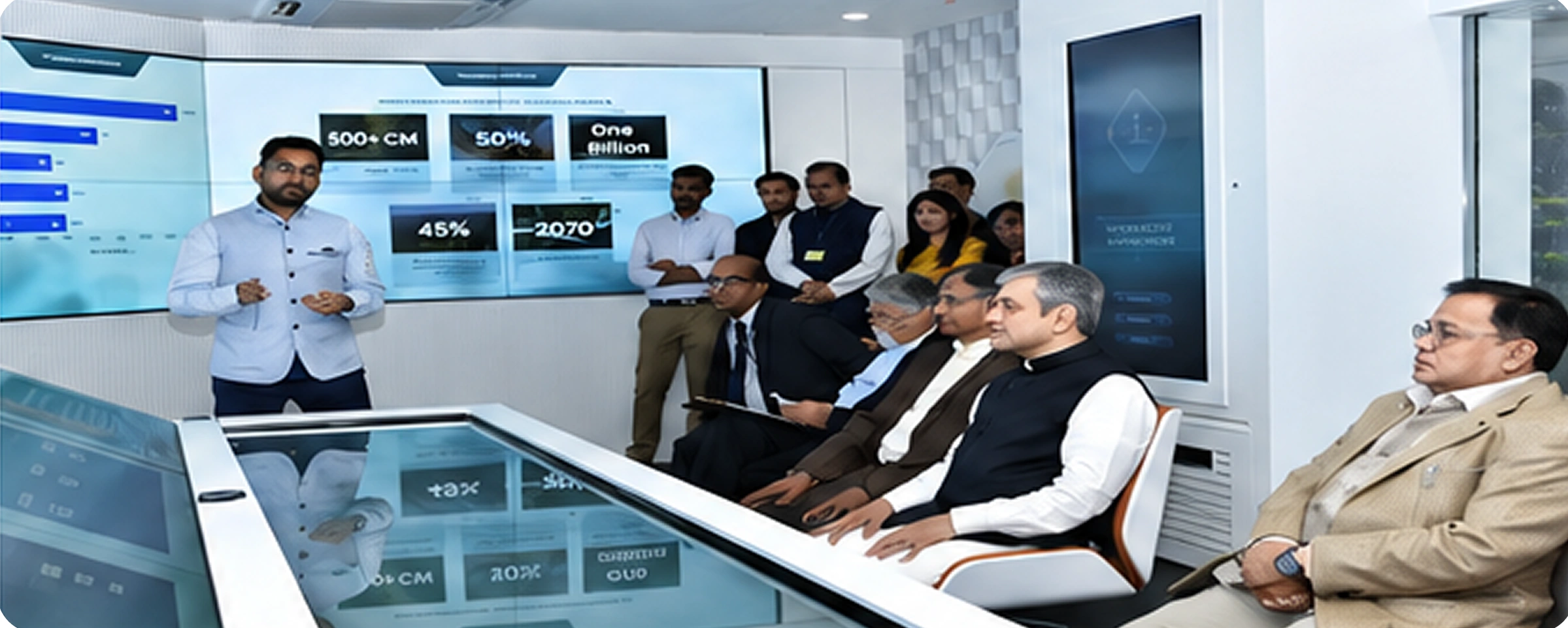 View detail ↗
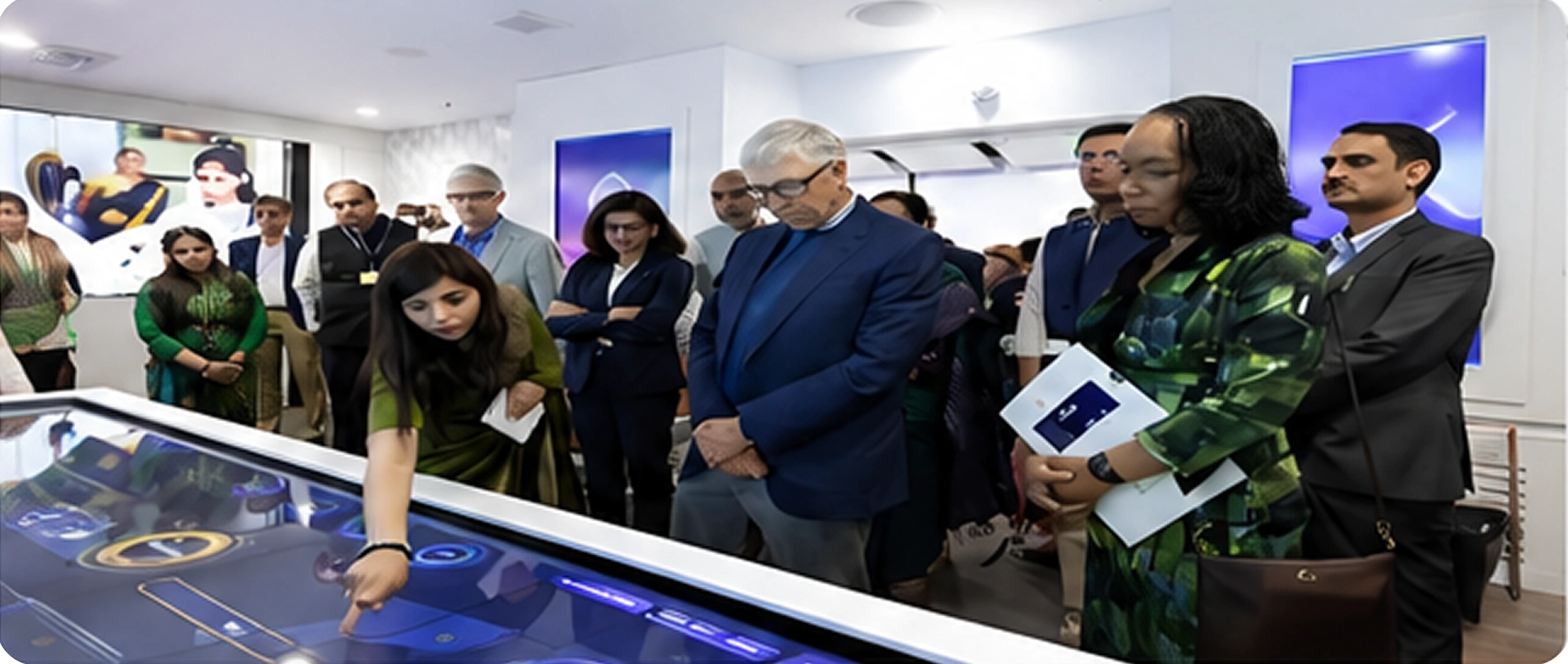 View detail ↗
This project shows how information hierarchy, viewing distance, navigation, and the physical environment need to work together. The design challenge was to make complex data easier for a whole room to understand.