Start with intent
Let people explain the outcome before asking them to configure a workflow.
Exploring an AI teammate that turns everyday conversations into organised work—with people in control.
Follow the story
Project work includes recurring updates, task assignments, and follow-ups. This exploration asks how a person could describe that work in plain language and turn it into a reusable AI skill.
Collect information → write the update → share it → repeat.
Describe the goal → define the details → review the skill → run it.
Let people explain the outcome before asking them to configure a workflow.
Clarify the schedule, data, and action through a guided conversation.
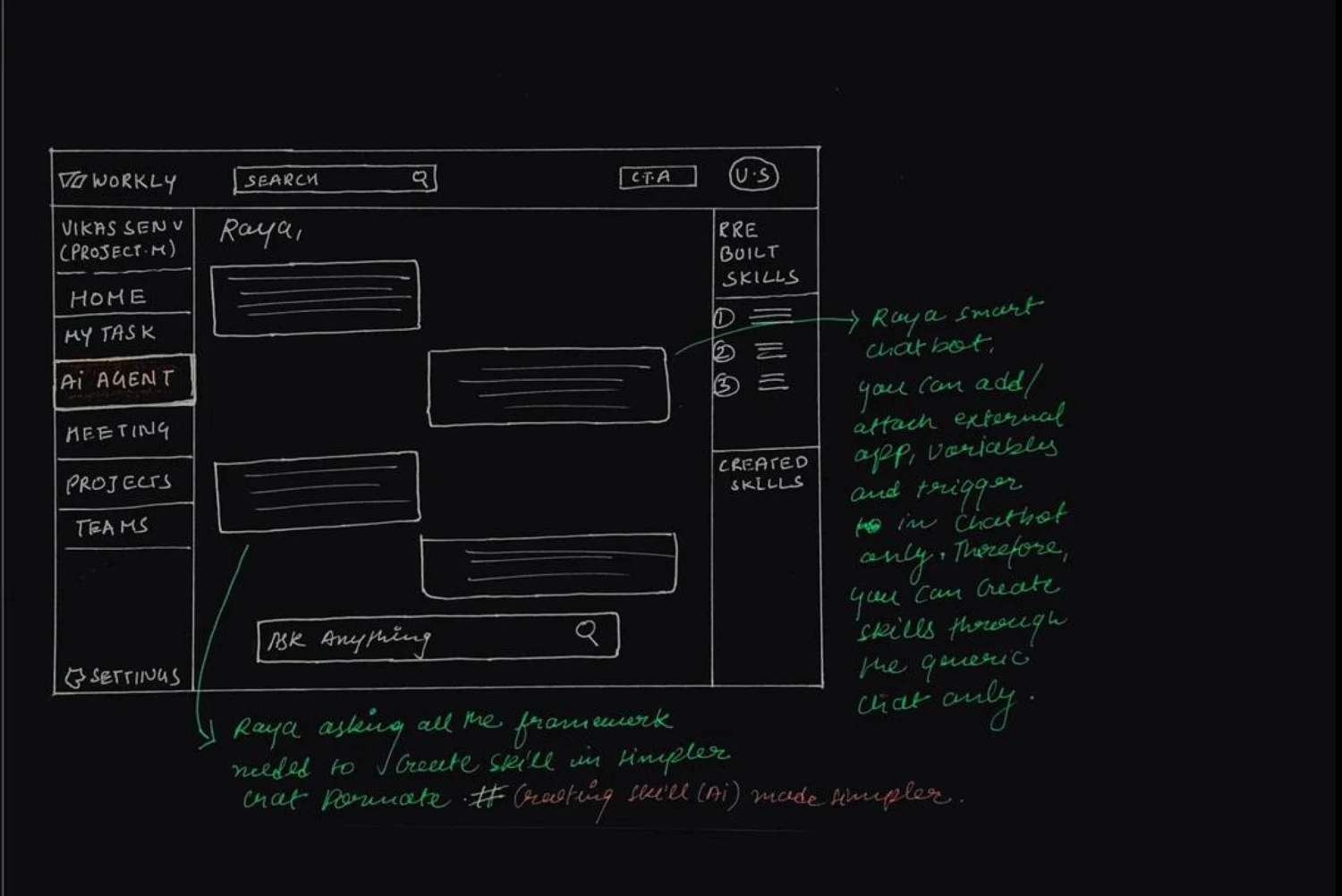
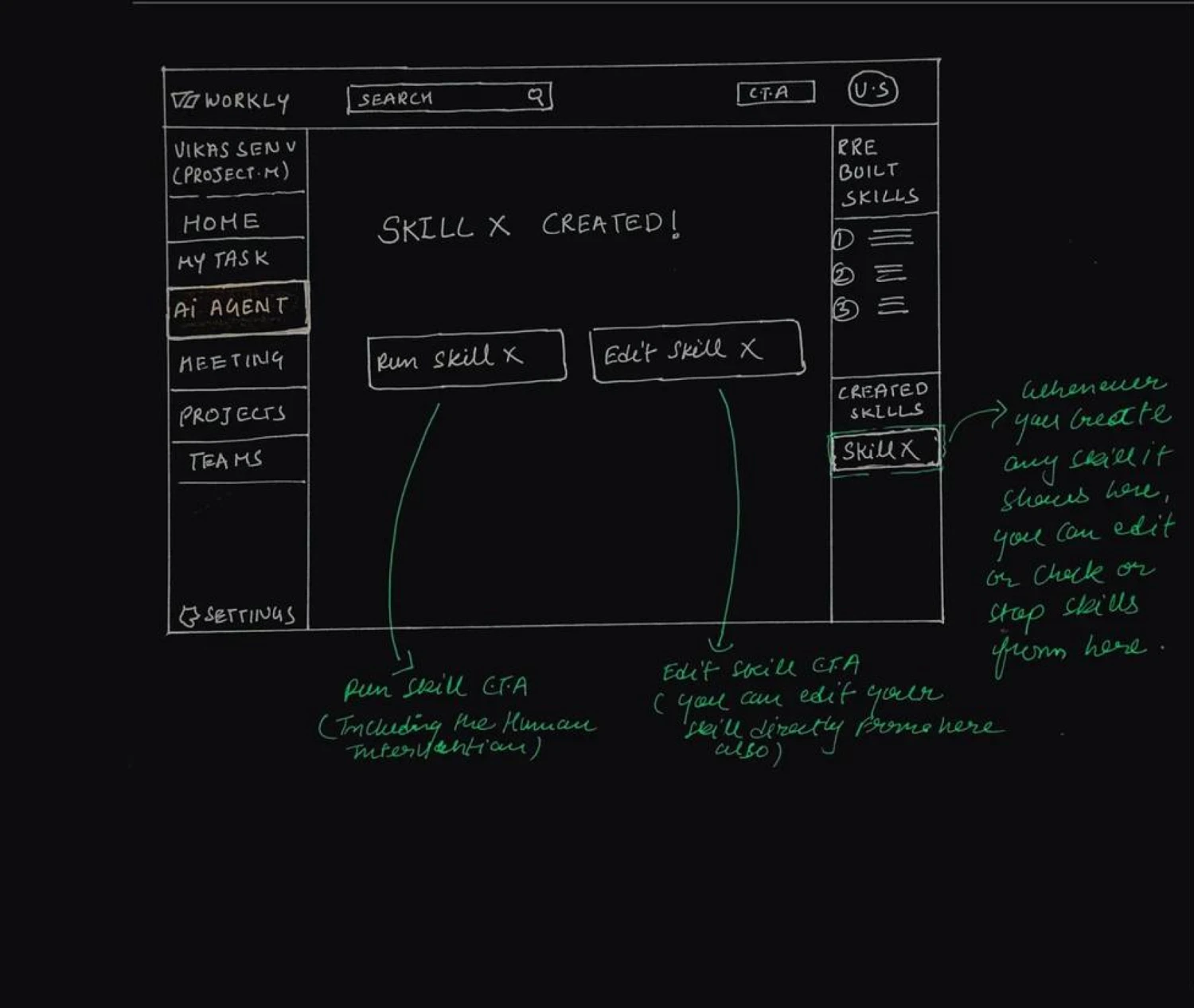
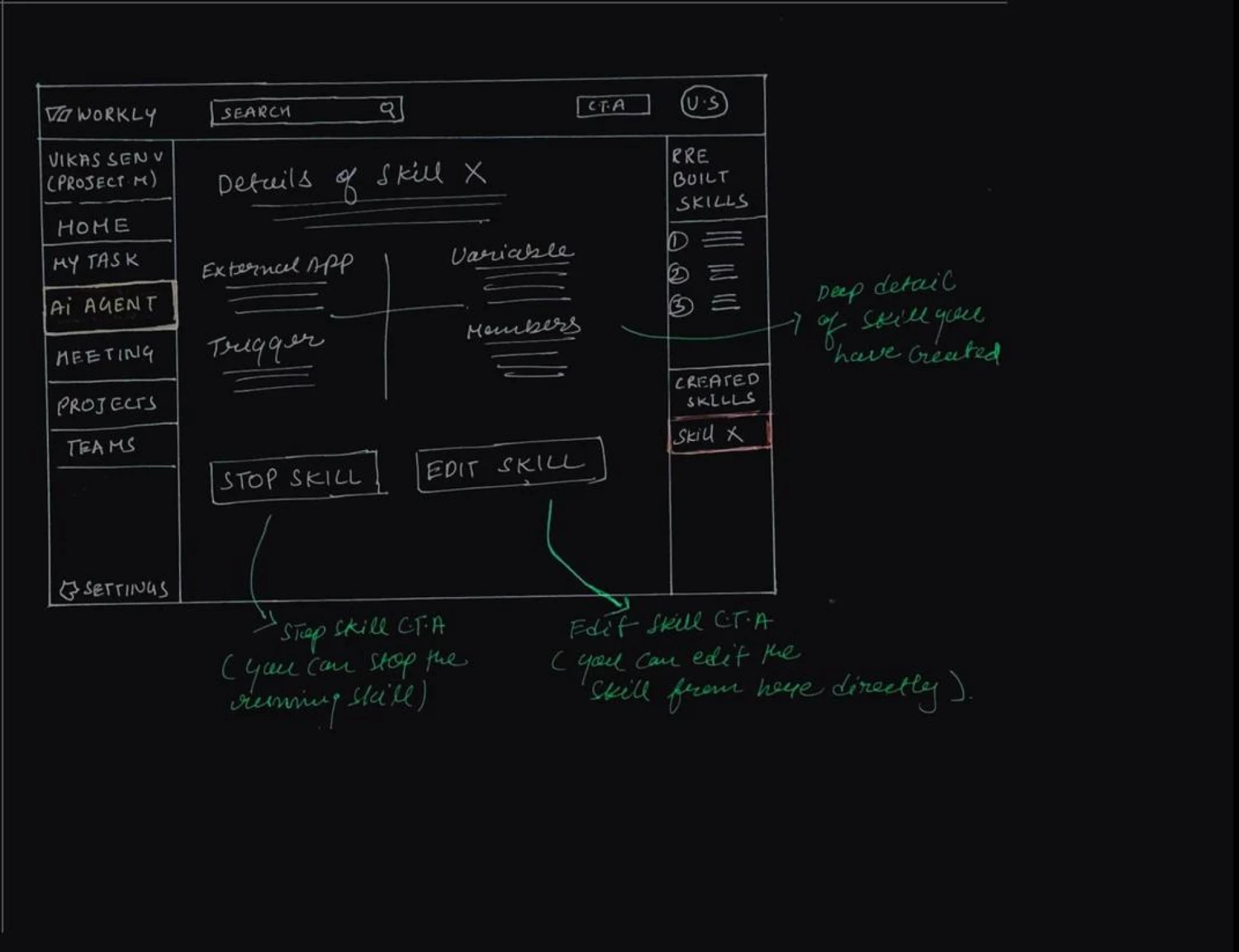
Make created skills easy to find, inspect, edit, and stop.
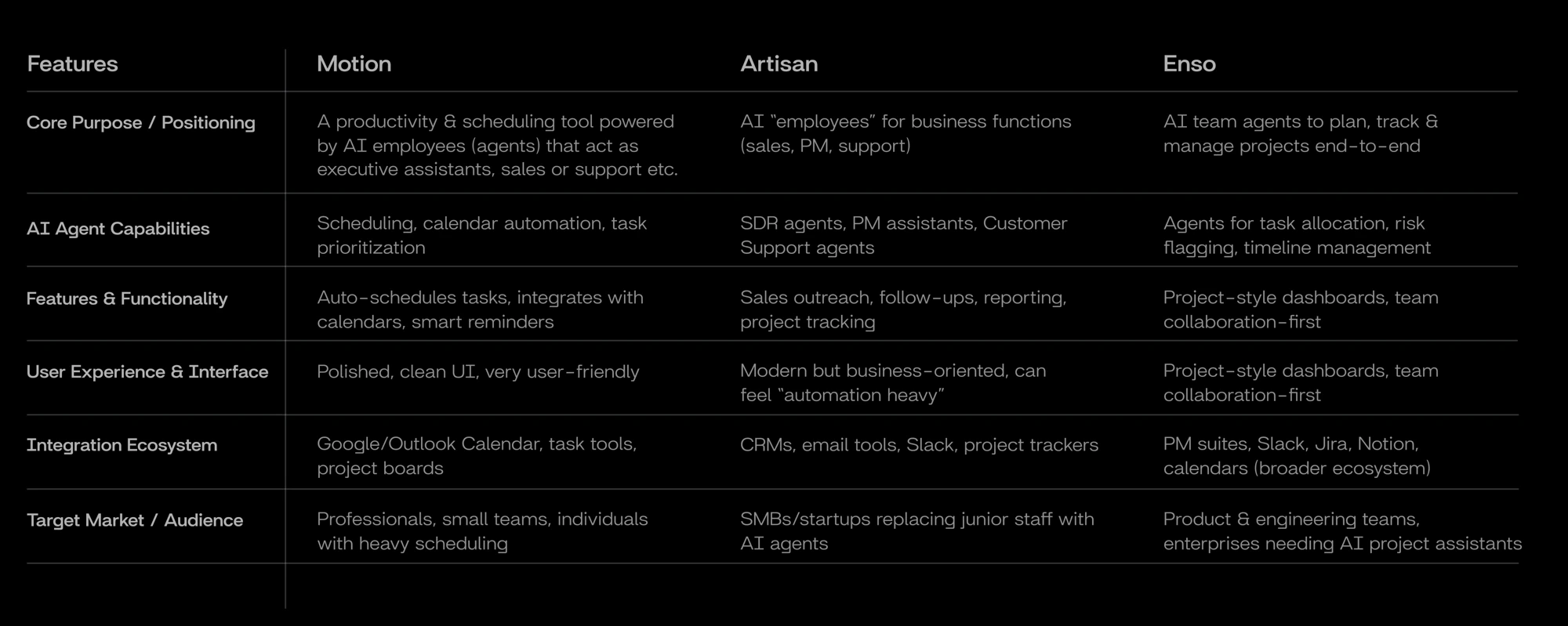
The project research compared Motion, Artisan, and Enso. I used the comparison to explore three questions: how people discover agents, how they create skills, and how much control they keep.
The study examined specialised agents and the sequence of naming a skill, defining its trigger, and adding inputs.
Design direction
Make skill creation easy to follow.
The comparison explored how an agent can bring several steps of a business task into one workflow.
Design direction
Connect the conversation to a clear outcome.
The study raised a discoverability question: how do people find the right capability when many options are available?
Design direction
Keep useful skills close to the conversation.
Summarised from the project’s research notes; this describes the design exploration rather than a current product audit.
 Enlarge ↗
The proposed system has three layers. Separating them explains how a conversational request could become a useful action inside Workly.
The conversation identifies the goal and clarifies missing details—what to do, who it is for, and when it should happen.
Project history, current tasks, and workspace information give the request meaning. The right data supports the next step.
A defined trigger and action turn the request into a reusable skill—one that people can review, run, edit, or stop.
 Explore artwork ↗
Completed tasks, earlier projects, and reports.
Active projects, ongoing tasks, and current activity.
Schedules, upcoming work, and forecast inputs.
This is a proposed product model. The case study does not claim a working AI implementation.
Storyboards explore what RAYA needs to ask, what the person decides, and how the resulting skill is described. Choose a scenario to follow the interaction.
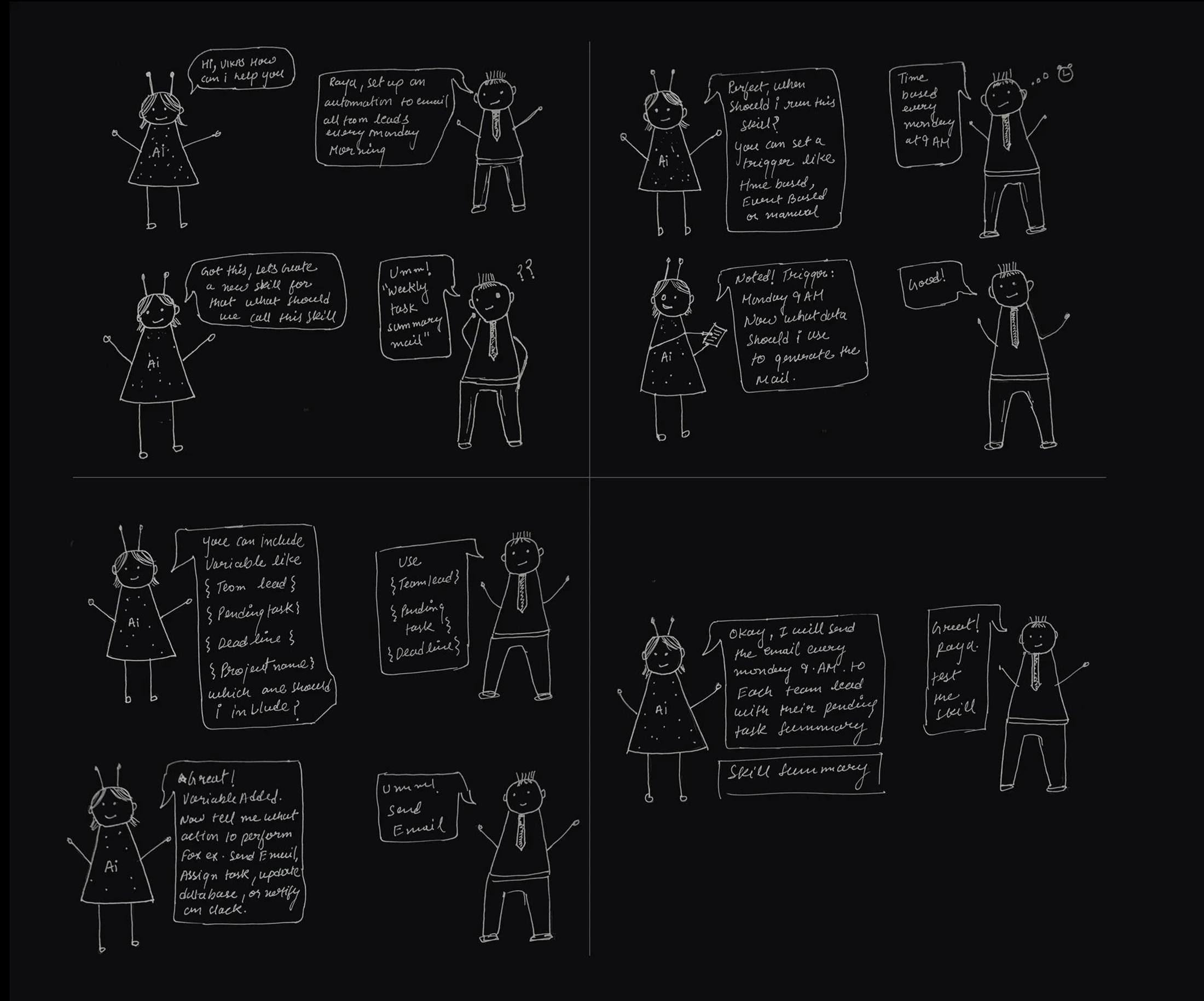
The leader asks RAYA to email team leads every Monday. The conversation turns that request into a named skill with a trigger, selected information, and an action.
Give the recurring task a recognisable name: Weekly Task Summary.
Define when it runs: Monday at 9 AM.
Select team lead, pending tasks, and deadlines.
Send an email, then review the skill summary before testing it.
 Enlarge ↗
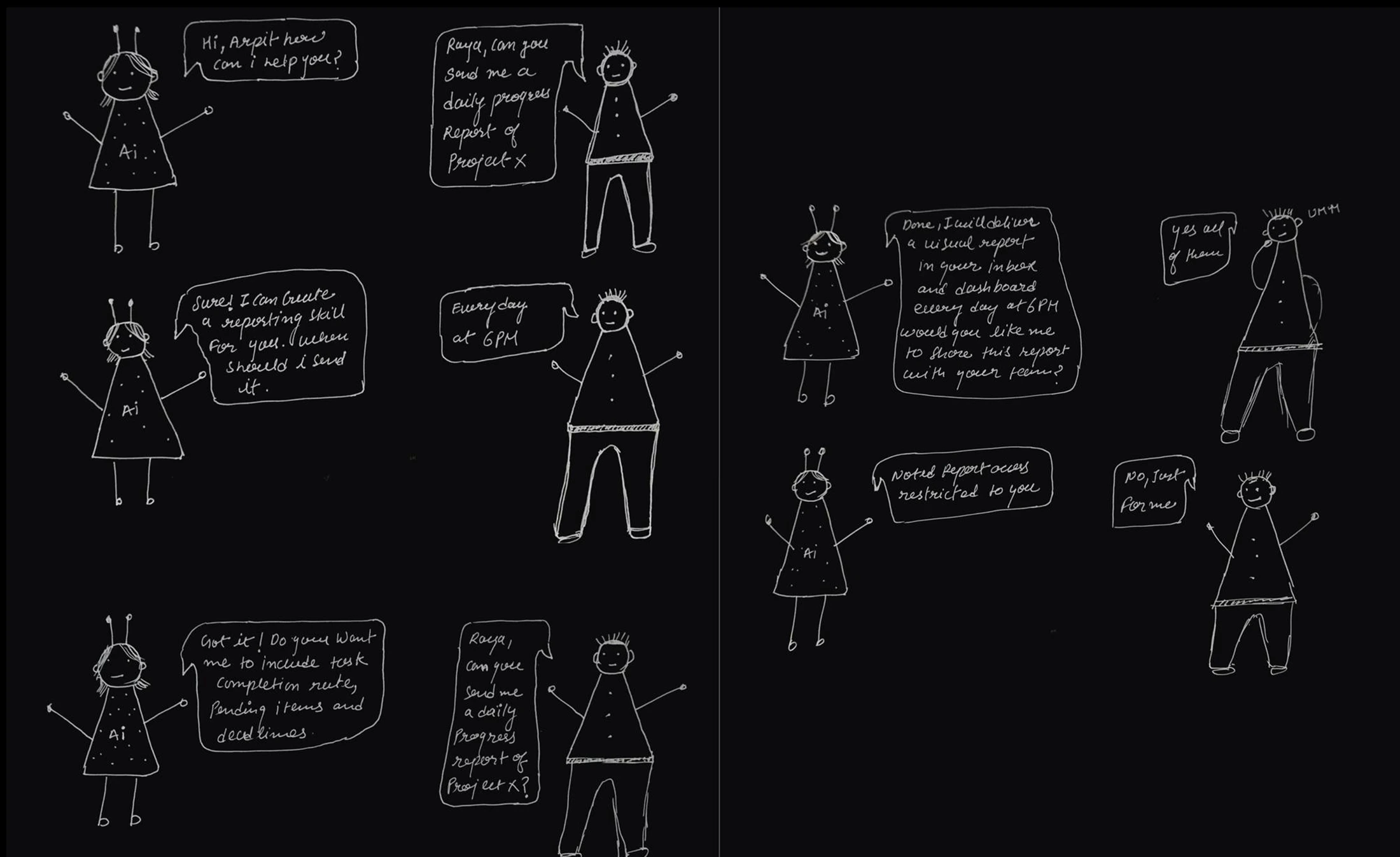
A manager asks for a daily progress report on Project X. RAYA clarifies the time, report content, and who should be able to receive it.
Ask for a daily progress update for Project X.
Schedule delivery for 6 PM each day.
Discuss completion, pending items, and deadlines.
The manager chooses a private report rather than sharing it with the team.
 Enlarge ↗
The concept maps access to a person’s role. A conversational interface still needs clear boundaries around what someone can view, assign, or manage.
Super access
Management access
Individual access
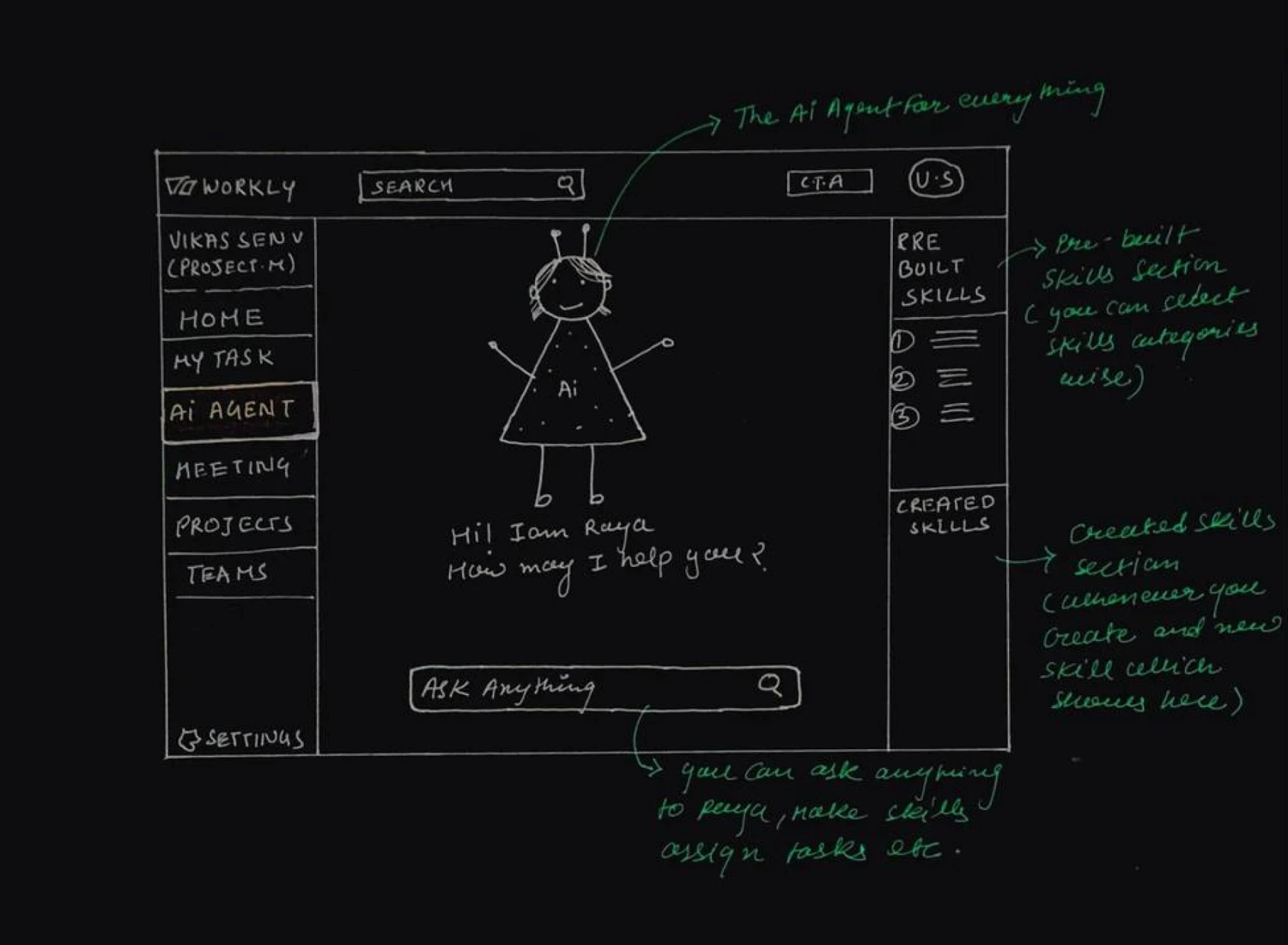
The wireframes include Run, Edit, and Stop actions. A skill remains something the person can inspect and change.
Four early sketches explore the complete skill lifecycle. The workspace navigation stays familiar, while the centre changes from an introduction to chat, confirmation, and skill details.
 Enlarge ↗
 Enlarge ↗
 Enlarge ↗
 Enlarge ↗
This exploration connects competitor research, a proposed system model, role-based access, two user stories, and early wireframes. The central design idea is to make automation understandable through conversation and visible controls.